NomNom can lock itself behind your device's own unlock — Face ID, Touch ID, or a fingerprint — so a glance or a fingertip gets you in, and a passer-by can't. This is a setting on your device in the app; it doesn't change who's signed in or what you can do.
Turning the lock on
The lock lives in the app, under a SECURITY heading that only appears once your device confirms it can use Face ID, Touch ID, or a fingerprint. If you don't see it, your device either has no biometrics set up or doesn't support them — set up Face ID, Touch ID, or a fingerprint in your device's own settings first.
In the app: Settings → Unlock.
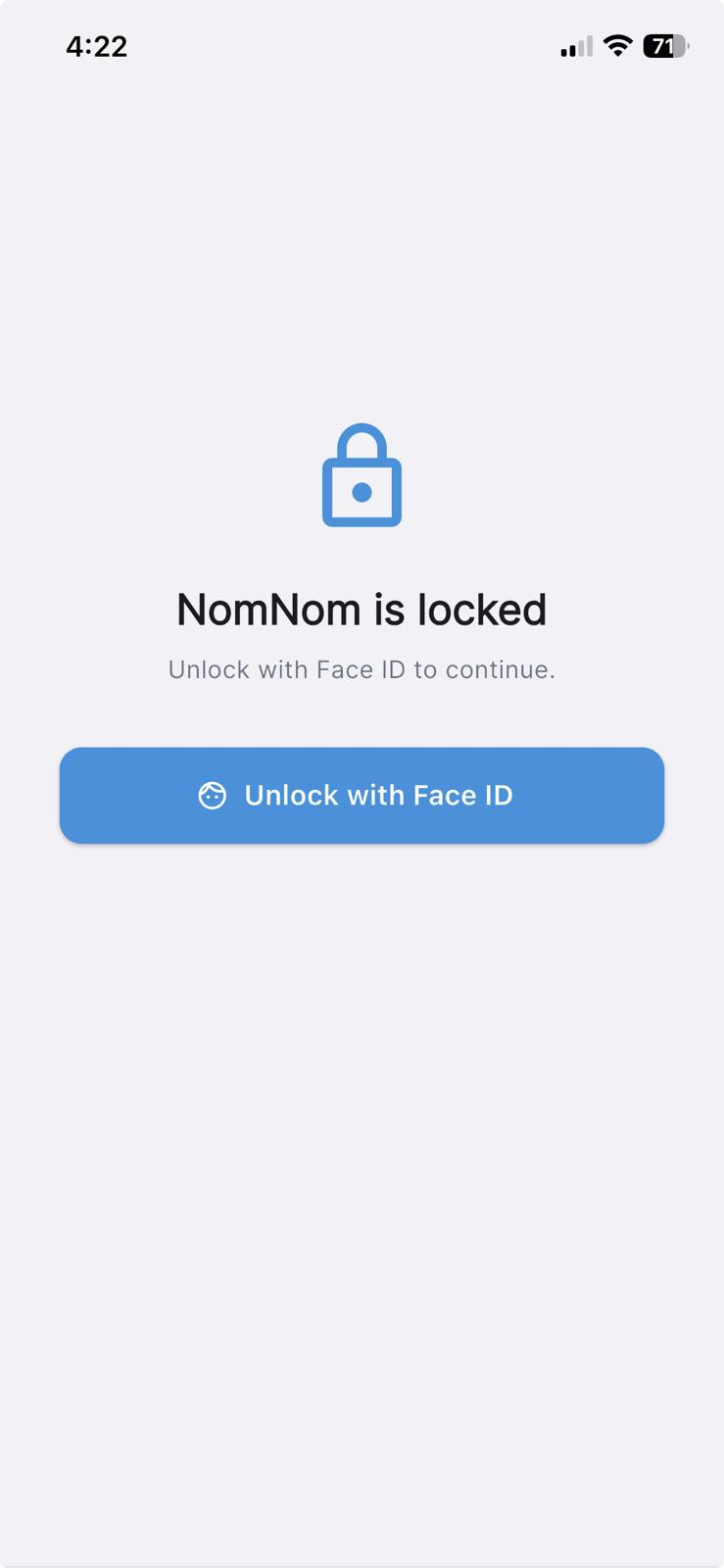
On the Unlock screen, under APP LOCK, switch on Unlock with Face ID (the wording follows your device — it may instead read Unlock with Touch ID or Unlock with fingerprint). You'll be asked to confirm with a live check the moment you turn it on, so that only you can enable it.
Your passcode is always the fallback
If Face ID or Touch ID doesn't read — a mask, gloves, a wet finger — your device's own passcode will let you in. There's no separate NomNom PIN to remember and no way to get locked out of the app.
Choosing when it asks you to unlock
Once the lock is on, a second section, WHEN TO LOCK, lets you choose how often NomNom asks:
- When the app opens — unlock once each time NomNom starts from closed.
- Each time it's reopened — also unlock when you return to NomNom after it's been in the background for a short while. A quick hop to another app and straight back won't ask again.
Pick whichever suits how you work. If you only want a gate the first time you open it each shift, choose When the app opens. If the device is shared or left on the pass, Each time it's reopened keeps it covered.
What the lock screen looks like
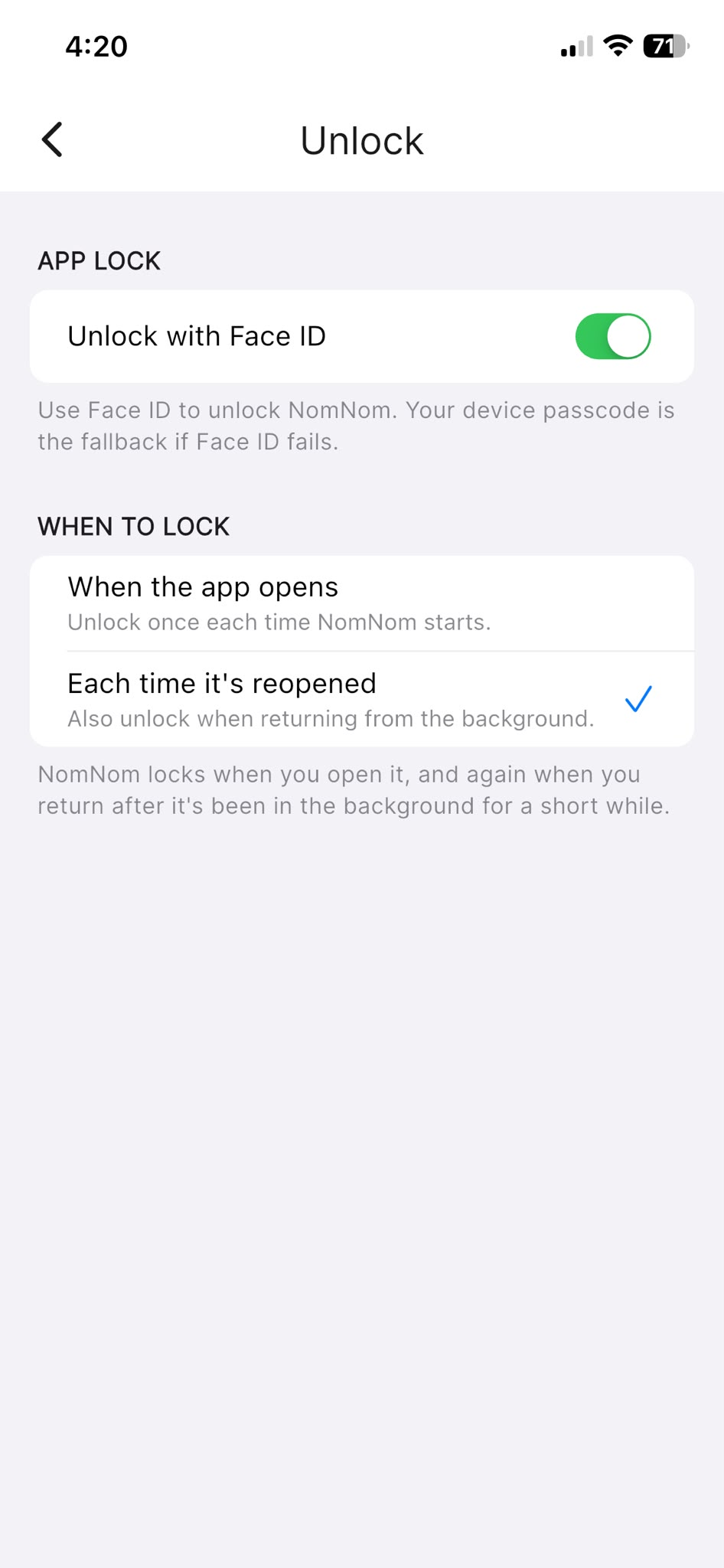
When NomNom is locked you'll see a NomNom is locked screen with an Unlock with Face ID button (again, worded for your device). It usually prompts automatically; if it doesn't, tap the button to try again.
Turning it off
Go back to Settings → Unlock and switch Unlock with Face ID off. NomNom will stop asking to unlock straight away.