You can run NomNom on more than one device at the same time — for example, a tablet at the host stand alongside the phone you usually carry. Signing in an extra device is done in the app with an access code; reviewing and removing connected devices is done in the web admin portal.
Signing in on a new device
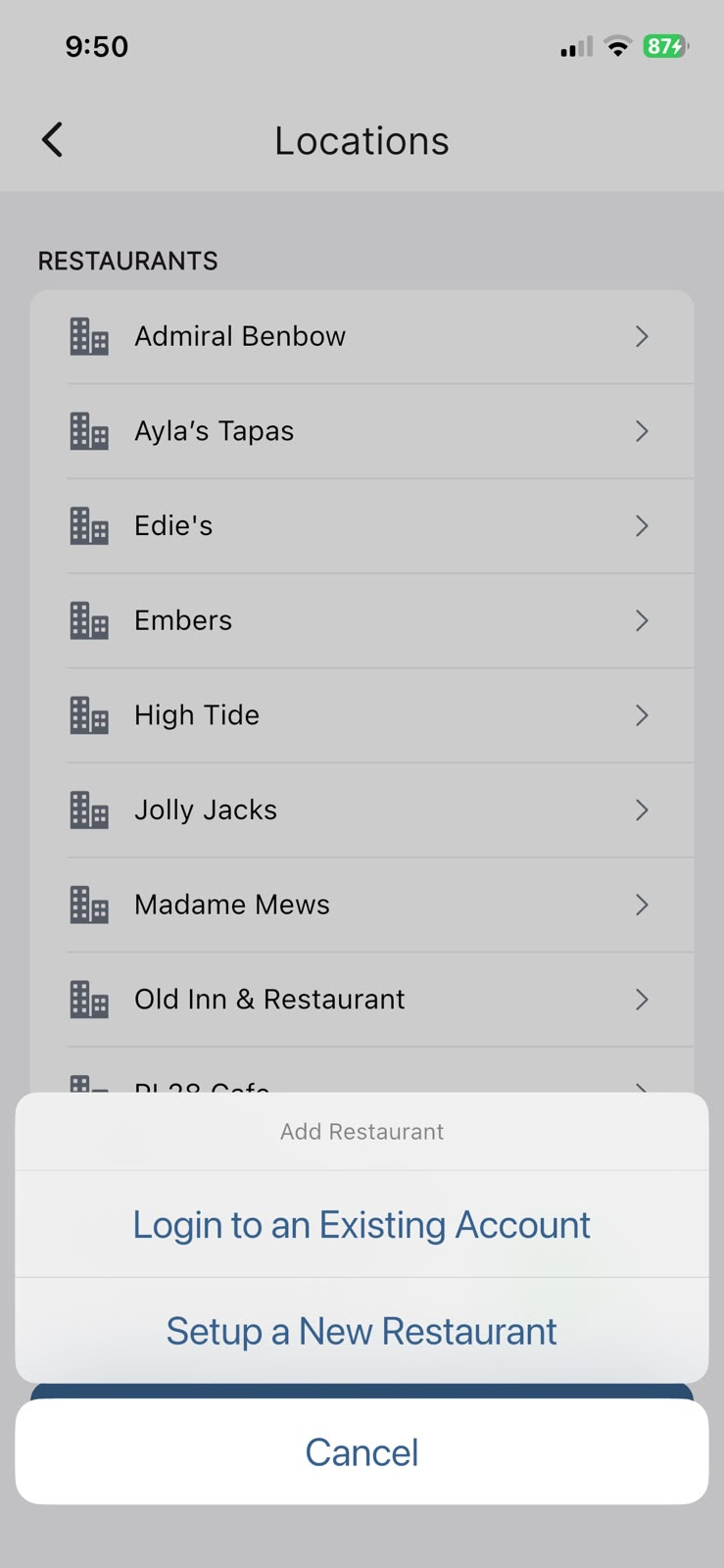
Install NomNom on the new device, then add your restaurant to it using an access code sent to your email.
In the app: Settings → Locations → Add Restaurant → Login to an Existing Account.
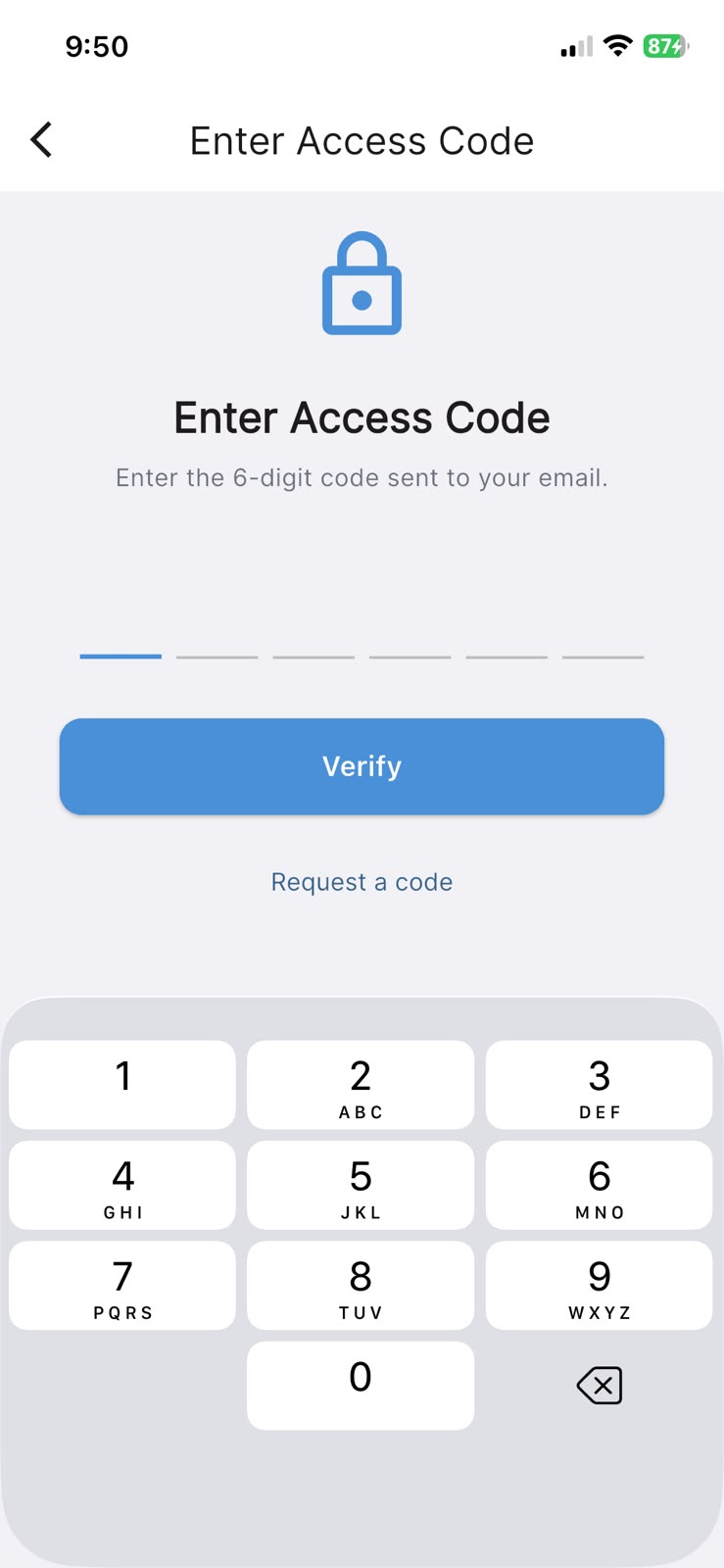
If you already have a 6-digit code, enter it on the Enter Access Code screen and tap Verify. If you don't have one yet, tap Request a code, enter your email address on the Request Access Code screen, and tap Send Code. The code arrives by email — return to Enter Access Code and type it in.
Using more than one device at once
Each device that signs in stays connected to your account in its own right, so several can be in use together — a tablet on the door, a phone in the office, a laptop for reports. There is nothing extra to switch on: once a device has signed in with an access code, it keeps working until you remove it.
Seeing which devices are connected
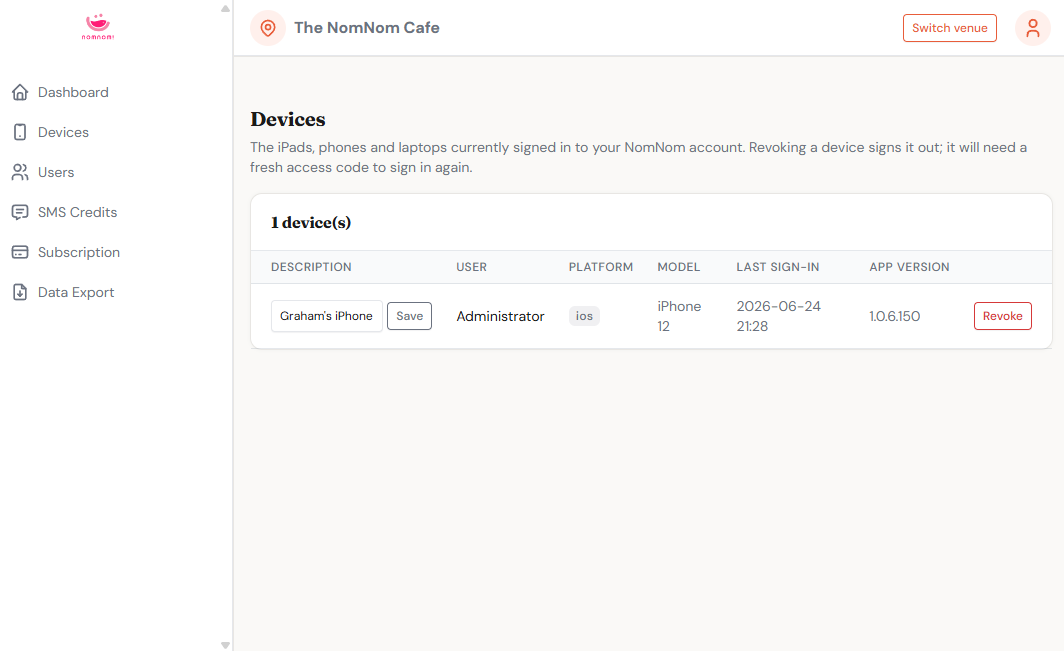
The list of connected devices lives in the web admin portal, not in the app. The Devices page shows the iPads, phones and laptops currently signed in to your NomNom account.
In the web admin portal: open Devices from the menu.
Each row lists the device's Description, the User it's signed in as, its Platform and Model, the Last sign-in time, and the App version it's running.
Removing a device
If a device is lost, replaced, or no longer needed, you can sign it out from the same Devices page. Use the Revoke button on that device's row. Revoking signs the device out; it will need a fresh access code to sign in again.
In the web admin portal: Devices → Revoke on the device's row.
Good to know
- An access code is single-use for signing a device in. To add another device later, request a new code.
- Revoking only signs that one device out — your other connected devices are unaffected.
- Signing in an extra device doesn't replace your existing one; both stay connected until you choose to remove either.