
v1.0.3 has been months in the making — and it's nearly here. We're putting the finishing touches on it in beta right now, and it should be landing in your app in the next few days. There's a brand-new way to see your tables, voucher sales through a public purchase page, secure card authorisation by SMS or email, popup notes for the whole team, and a long list of smaller touches that just make the day-to-day a little easier. We've genuinely poured everything into this one and we couldn't be more excited to get it into your hands. Here's a sneak peek at what's coming.
Floor plan designer
We've added a proper floor plan designer. Drag and drop tables, pan and zoom around your space, and lay everything out the way you actually see it from the door. A new toggle at the top of the main screen lets you switch between list, planner, and floor plan — pick whichever view is most useful in the moment.
Booking pills now sit inside the table shapes themselves with a cleaner look, so a glance at the room tells you who's sat where. And when you add a new table, it drops at the centre of your current view rather than appearing off in the corner.

Sell vouchers online
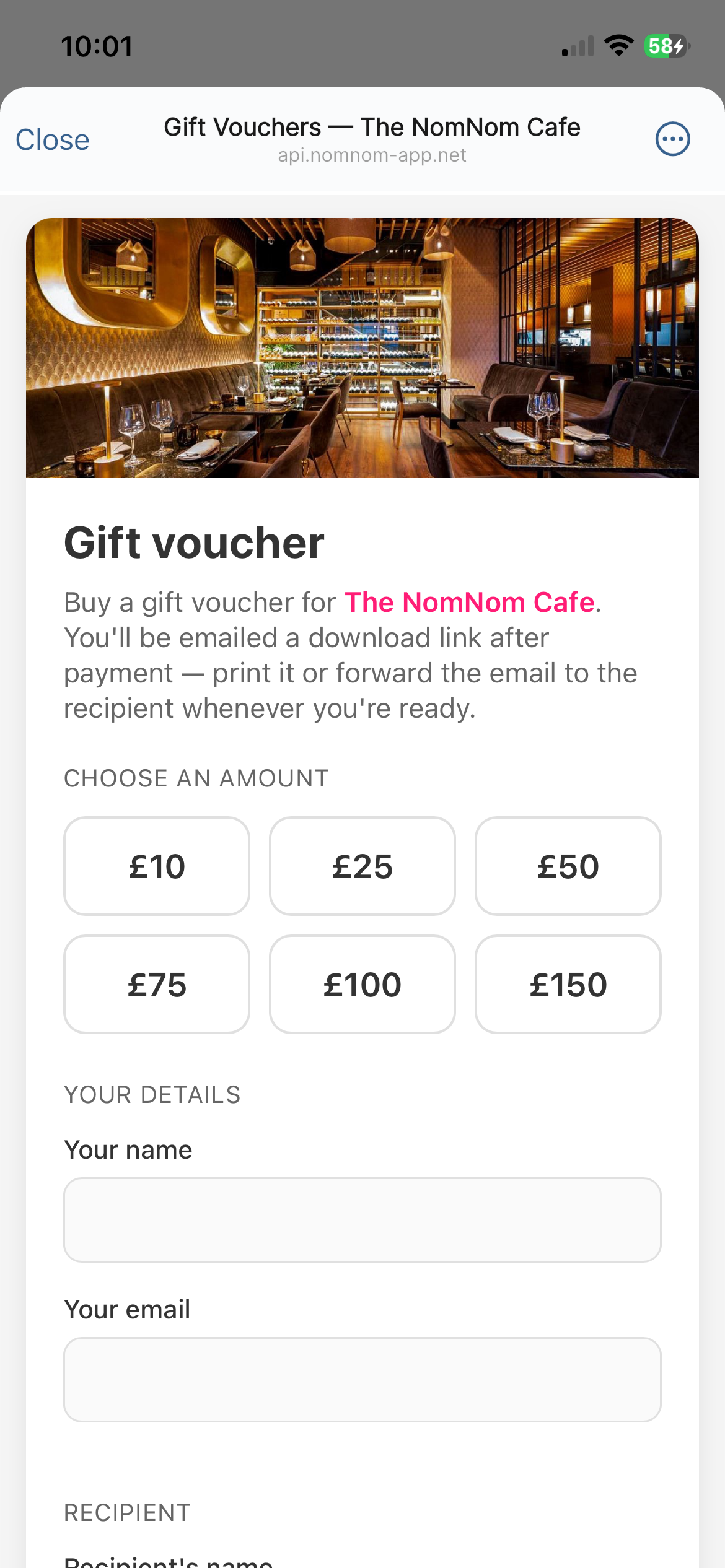
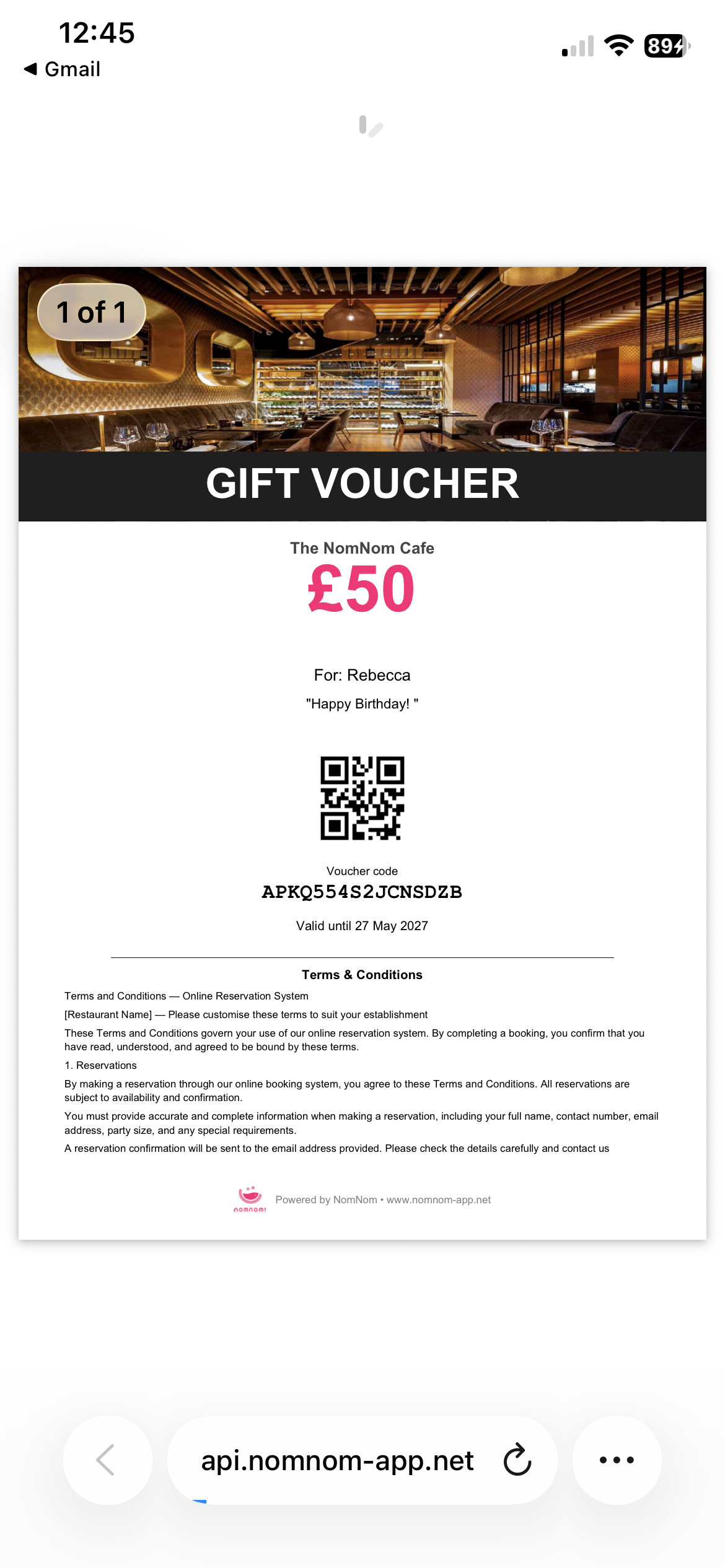
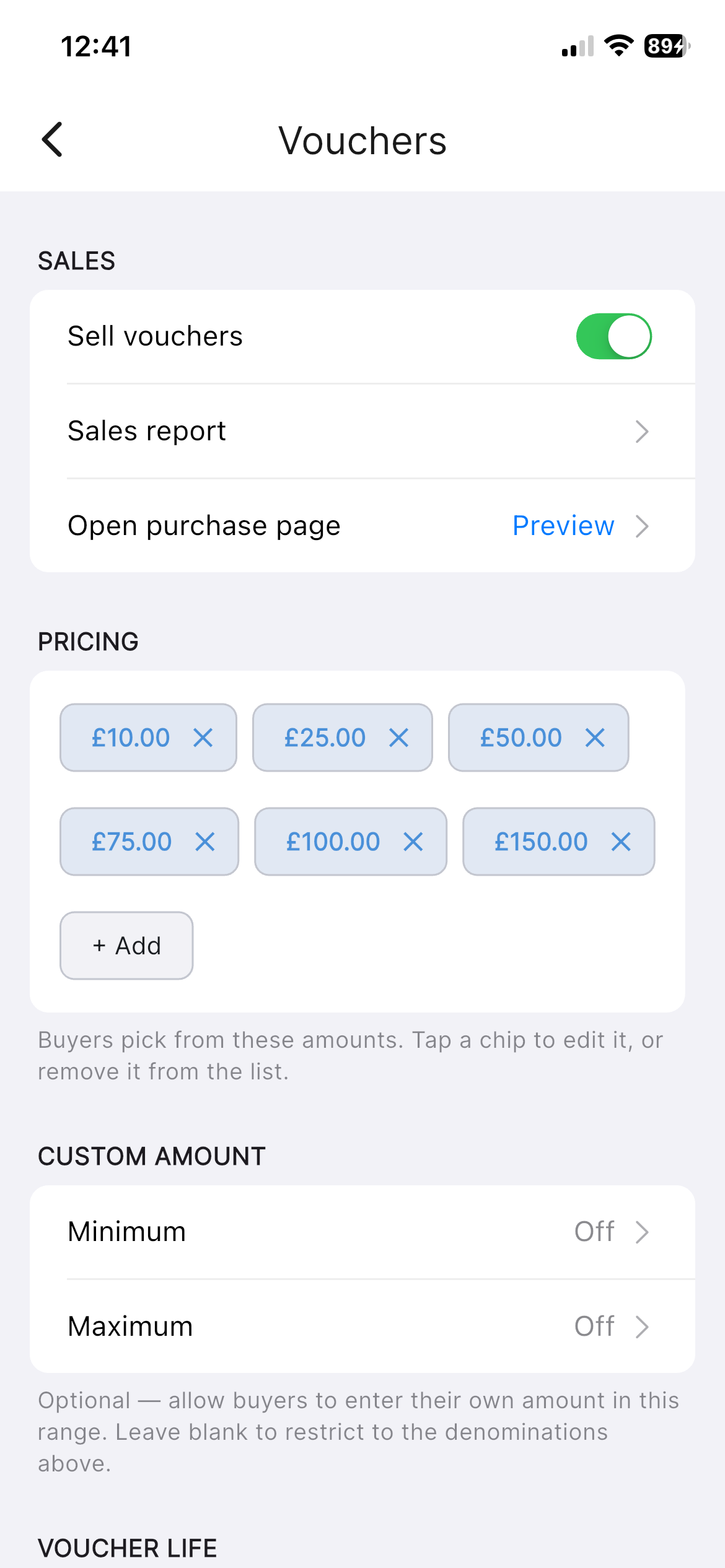
You can now sell gift vouchers through a public purchase page. Guests buy, you get the funds, and they get a branded PDF download with a QR code to redeem on the day. The voucher settings screen has been tidied up too — there's now a clear pricing breakdown and a minimum-value setting so you don't end up with redemptions worth less than the postage.
Request card authorisation
Need a card on file but don't want to ask the guest to read the long number out over the phone? You can now send them a secure link via SMS or email and let them authorise their card themselves. Recipient details are editable, so if the number on the booking isn't where you want the link to land, just change it before sending.
Once authorised, the reservation shows the card brand badge and expiry month, so you can spot at a glance whether a card on file is still current.

Send one-off SMS
The Messages tab on a reservation has a new button to send a one-off SMS straight to the guest. Handy for the things that don't fit the templated reminders — "we're running ten minutes late tonight", "your table's ready early if you can come in", and so on.

While we're on the subject of texts: there's now a quick Top up pill in the footer for SMS credit, plus a configurable low-credit reminder threshold in Settings so we'll nudge you before you run dry.

Popup notes
Leave a single daily note that's surfaced to all staff as a banner across the top of the main screen. Good for the things you'd normally pin to the office wall — a VIP coming in for the 8pm sitting, no shellfish today, the new starter who needs a hand with the till.

Rooms management
Adding, renaming and deleting rooms is now done inline, with validation as you type, rather than the old bulk-save flow. Smaller change, but it removes the step where it was easy to lose edits by navigating away before saving.

Reports remembers your date
A small but, we hope, welcome touch — Reports now opens on the date you last had selected, rather than always jumping back to today. If you spent the morning looking at last Saturday, it'll still be looking at last Saturday when you come back.
Fixes and polish
- Overlapping reservations now stack correctly by start time, so the order of arrivals reads top-to-bottom at a glance.
- Switching location reliably refreshes lists, header images, and filters — no more stale data hanging around from the previous location.
- Saving is smoother across the board, without the loading spinner interrupting smaller edits.
That's v1.0.3. It's been a lot of work — and we're really proud of how it's come together. We're wrapping up the final beta touches now and aiming to ship in the next few days. We hope you love using it as much as we've loved building it. As always, if you've got thoughts or ideas for what should come next, drop us a line. We read every message.