In August we said we would tell you the day it went live, rather than promise it before it was ready. Today is that day.
From today, Monday 12 October, NomNom is live on Reserve with Google. Someone who finds a NomNom restaurant on Google Search or Google Maps can pick a time and book a table there and then, without leaving Google and without ringing you.
When we first wrote about this, we described the diner on a wet pavement at nine at night, with four per cent battery and two hungry friends, looking at a listing that only offered a phone number. That diner now gets a button.
What your guests see
They search for you, or find you on the map. Your listing shows a button to reserve a table. They choose how many people, a date and a time, confirm, and that is the whole thing. No app to download and no account to create.
What you have to do
Nothing new. The times Google offers come from the settings you already have in NomNom: your meals and their times, your tables, and your online booking limits. Google asks NomNom what is free at the moment the diner looks, so it only ever offers a time your diary can really take. Close a Tuesday and the Tuesday disappears. Put a table out of service and it stops being offered.
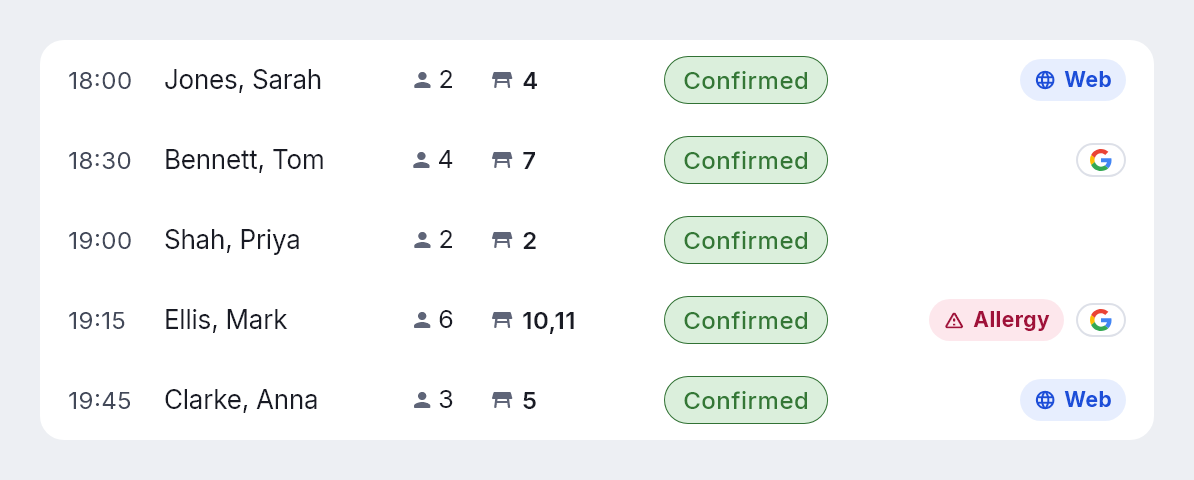
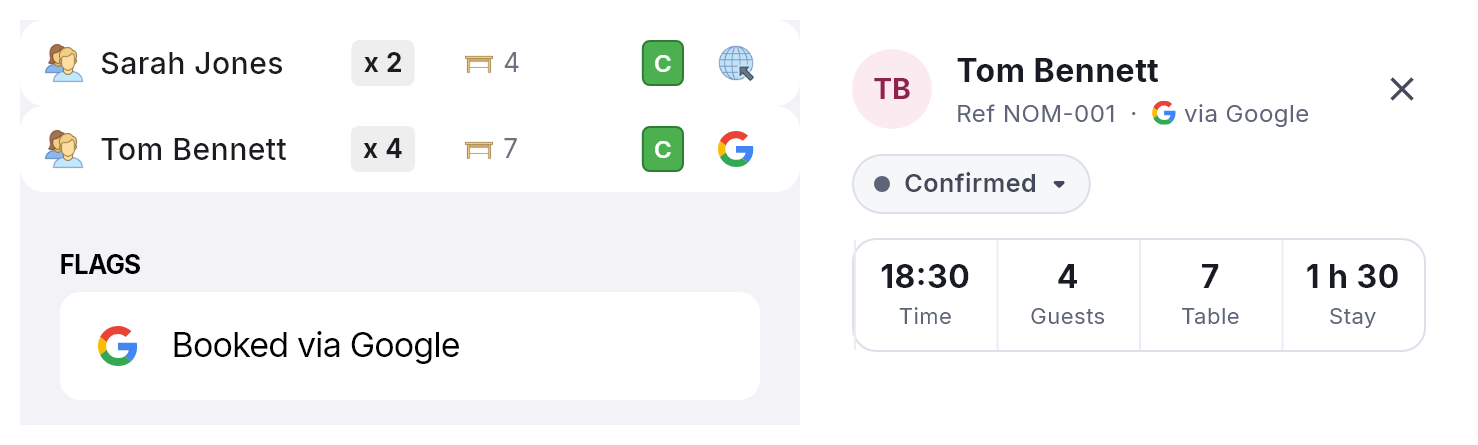
A Google booking lands in your diary like any other online booking, on a table chosen the same way your own booking page chooses one. In NomNom it carries a small Google mark, so your team can see at a glance where it came from. If you later move or cancel it in NomNom, we tell Google, so the diner hears about it.
What it costs
Nothing extra. The usual way onto that button is to join one of the large booking platforms and pay a fee on every cover it sends you, including the diners who searched for your restaurant by name and were always coming anyway. We said in August that we would not do that, and we have not.
There is no charge per cover and no charge per booking. NomNom is still £29.99 a month per venue, plus VAT (text message credits are bought separately), whether Google sends you four covers this month or four hundred.
What we share with Google
Only information about your business: its name, address and location, your public phone number and website where you have given them to us, and the times you have tables free and for what party sizes. We do not send Google your guests’ details, your booking records, your notes or anything commercial.
Is my restaurant included?
We are switching venues on in stages rather than all at once, because putting a button on a real restaurant’s listing is a promise that it works. Before a venue goes live we check a few things:
- Online booking is switched on, and the venue is actively taking bookings through NomNom.
- The venue is who it says it is. A booking button on your Google listing should only ever lead to your diary, so a person checks each venue before it is switched on.
- No card or deposit is needed to book online. Google’s booking flow for restaurants has no card step, so a venue that asks for a card or a deposit when guests book online cannot be booked through Google yet. We would rather leave the button off than take a booking without the card you asked for.
To check whether your venue is live on Google, or to ask for it to be included, email support@nomnom-app.net and a real person will answer.
Would rather not be on Google?
That is fine, and it changes nothing else about your NomNom account or your own booking page. Here is how to opt out. We remove a venue within five business days of being asked.
Why it matters
For a long time, the biggest advantage the large groups had over everybody else was not better food or better service. It was simply being easier to book. They had the button, and the independent forty yards down the same street had a phone that rang out through service.
In August we said that advantage was about to stop being one. As of today, for restaurants on NomNom, it has.