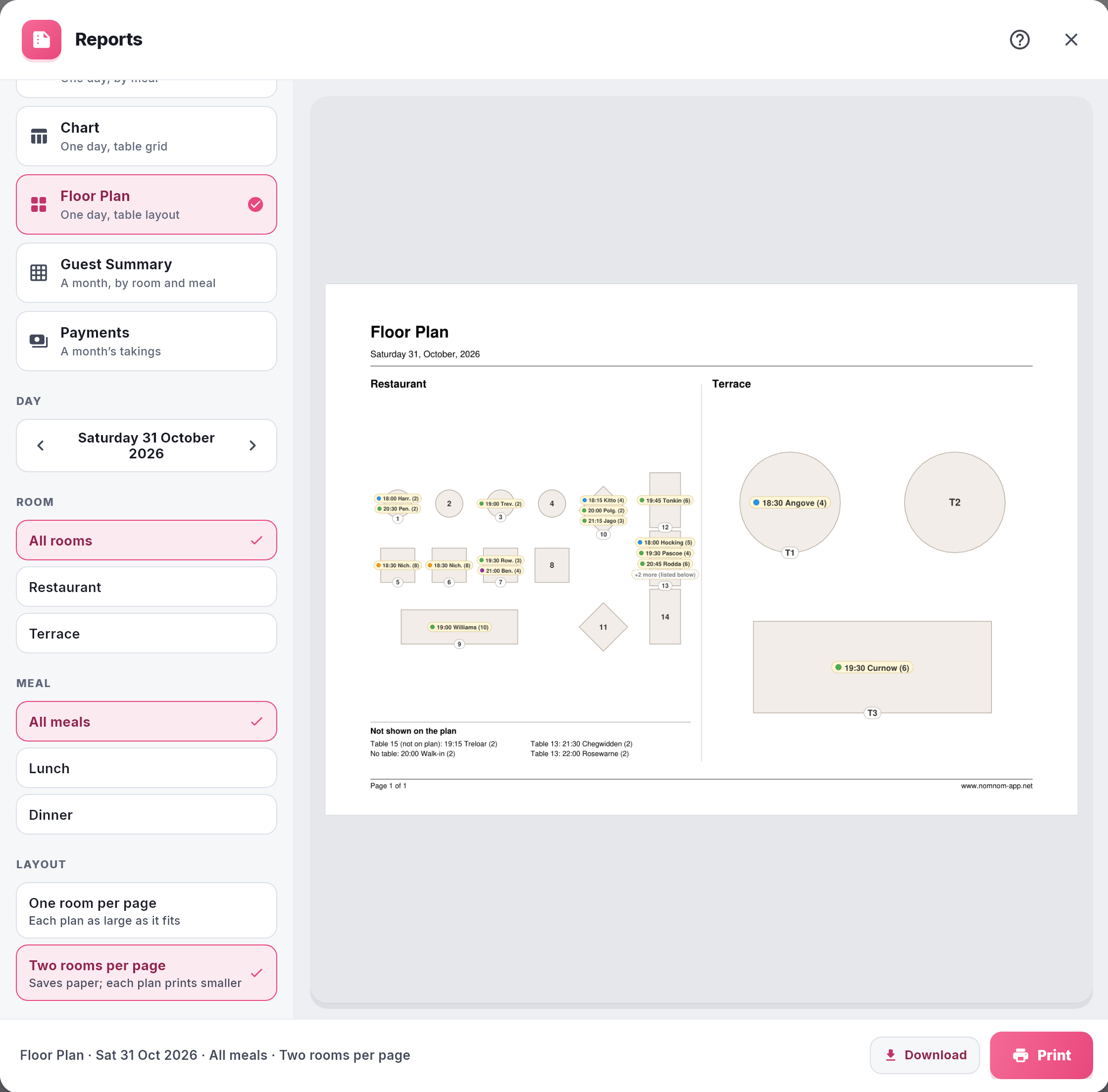
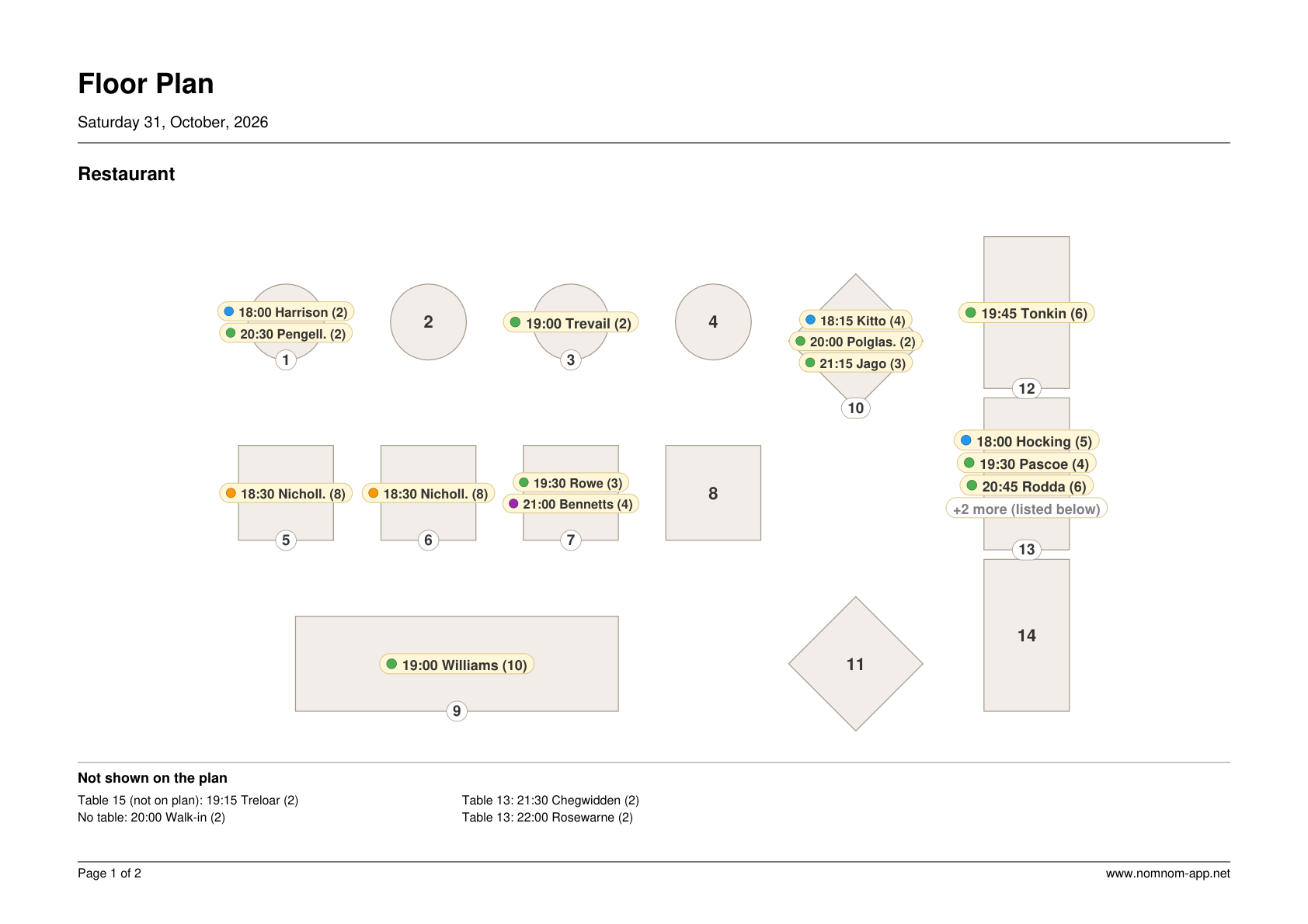
The floor plan printout is a picture of your room as you laid it out in the floor plan designer, with each of the day’s bookings written on its table: the time, the guest’s surname and the number of guests, such as 19:30 Jones (4). Pin it up at the pass or the front desk so the team can see who is sitting where.
For a timeline of each table, print the chart instead (see Printing the day’s table chart). For a list with allergies and notes, print the service sheet (see Printing tonight’s service sheet).
Print it from NomNom Web
- Open Reports. Click the printer icon in the top bar, Reports & printing.
- Pick Floor Plan. Under REPORT, click Floor Plan (One day, table layout).
- Choose the day. Use the arrows under DAY, or click the date to pick another.
- Choose the area and the meal. Under ROOM, pick one area or All rooms. Under MEAL, choose All meals or one meal.
- Choose the layout (all rooms only). Under LAYOUT, One room per page prints each plan as large as it fits; Two rooms per page saves paper, with each plan printed smaller. NomNom remembers your choice until you close the browser tab.
- Print. The plan appears on the right as you choose. Click Print, or Download to save it as a PDF.
What’s on the plan
- Your tables where you placed them, with their names, one page per area (or two areas to a page). Free tables are printed too.
- Each booking on its table, in time order, with a dot in its booking status colour (see Creating your own booking statuses).
- Bookings on more than one table show on each table, or once across them when the tables stand side by side.
- A busy table shows up to four bookings, then “+2 more (listed below)”.
- Not shown on the plan — a list under the plan of every booking that could not be drawn: bookings without a table, bookings on a table you have not placed on the plan, and the extra bookings from a busy table. Nothing on the day is left off.
Good to know
- It uses your floor plan. Tables only appear once you have placed them in the floor plan designer. An area with nothing placed prints “No floor plan has been set up for this room”. See Seeing your room as a floor plan.
- Cancelled bookings are left off.
- It’s a snapshot. Bookings made or moved after you print won’t be on it.
- Anyone on your team can print it, including Read-only staff, like the chart.
- Floor Plan is in NomNom Web’s Reports.