Sometimes one guest wants several vouchers: four for the grandchildren, or ten for a work raffle. You can sell them in one go instead of recording each one separately. Every voucher gets its own code and is printed on its own page.
Sell several vouchers
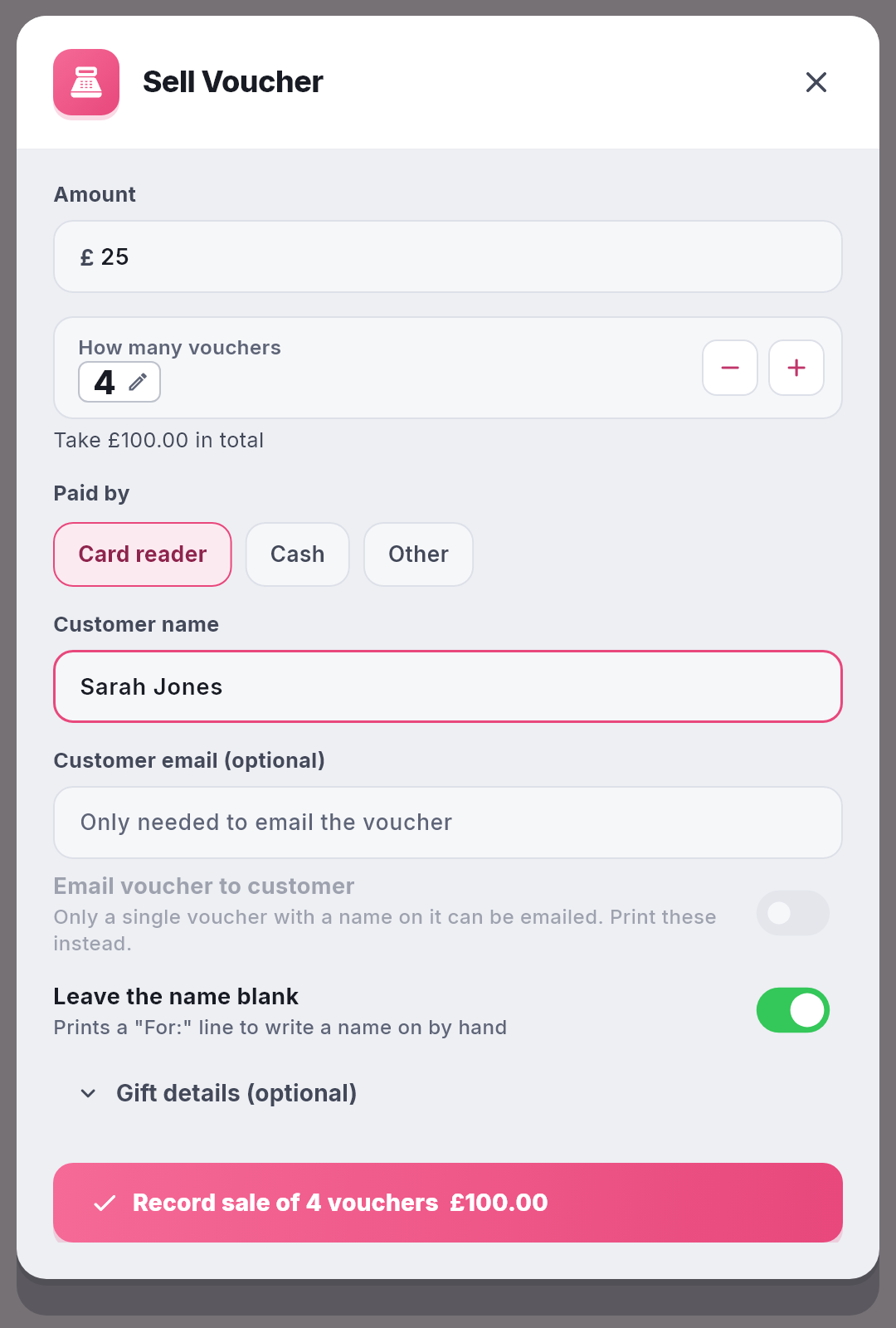
- Open Vouchers and choose Sell. In NomNom Web, click More (the three dots in the top bar), choose Vouchers, then Sell. In the phone app, open the menu, tap Vouchers, then Sell.
- Enter the amount of ONE voucher in Amount. Every voucher in the sale is for the same amount.
- Set How many vouchers. Use the + and − buttons. In NomNom Web you can also click the number and type it. You can sell up to 50 at a time. Underneath, Take £100.00 in total tells you what to charge for the whole sale.
- Choose how they paid under Paid by, and type the buyer’s name in Customer name.
- Leaving the names for the buyer to fill in? Switch on Leave the name blank. Each voucher then prints a “For:” line to write a name on by hand.
- Take the payment, then click Record sale. The button shows the number of vouchers and the total, for example Record sale of 4 vouchers £100.00.
Print them
When the sale is recorded you see how many vouchers you sold, the amount of each, and every voucher code.
- Click Print all (in the phone app, Print all … vouchers) to print them, one voucher per page.
- In NomNom Web, Download saves them all as one PDF.
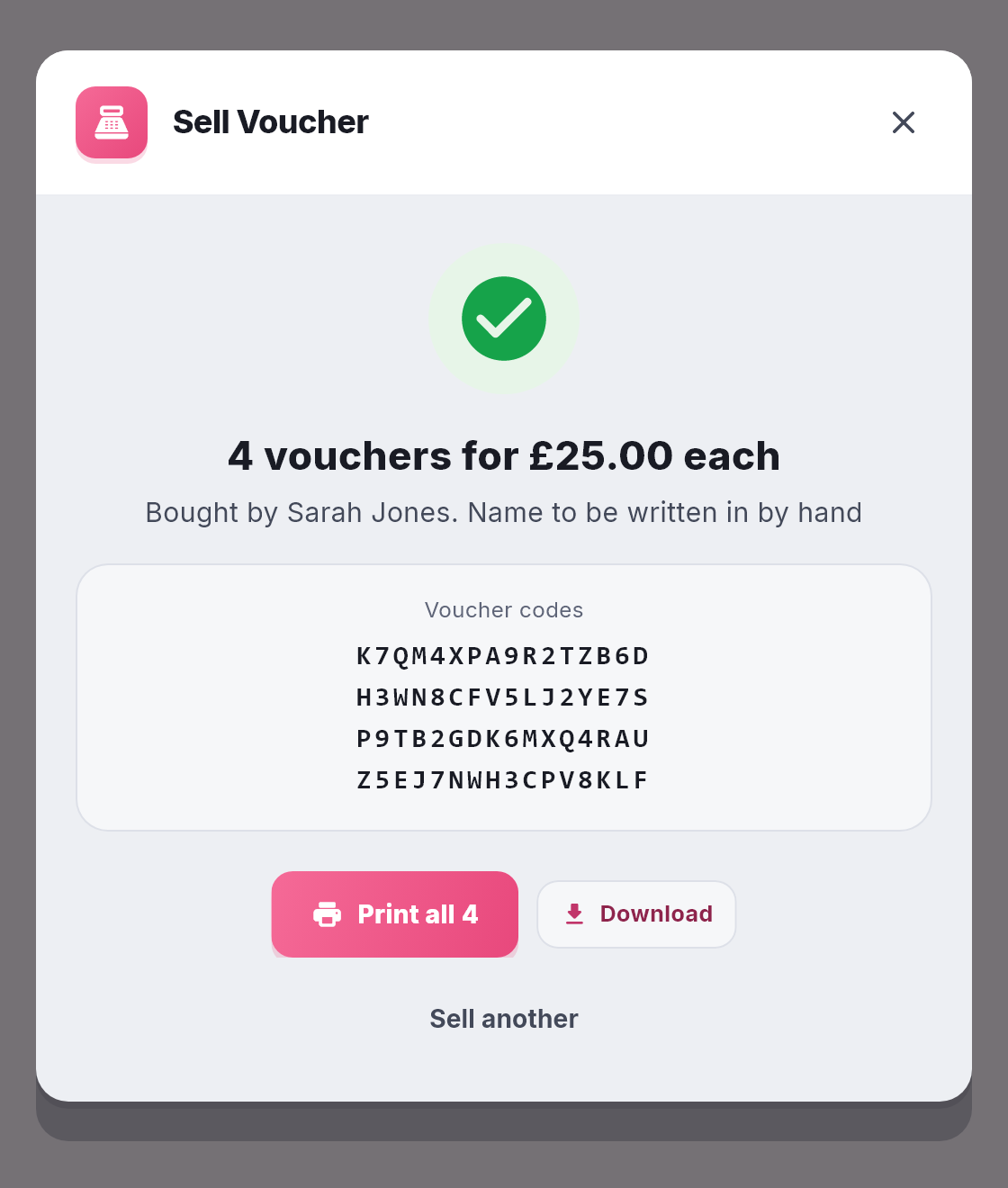
Make sure the guest has all their vouchers before you click Sell another. As with a single sale, this is the only place NomNom shows the codes.
Good to know
- Several vouchers can’t be emailed. Only a single voucher with a name on it can be emailed. When you sell more than one, or switch on Leave the name blank, Email voucher to customer is switched off. Print them instead.
- Each one is a voucher in its own right. Each has its own code and is spent on its own from the Redeem tab, and each one shows separately in Sales.
- A gift message goes on every voucher. Anything you type under Gift details (optional) is printed on each one. With Leave the name blank on, there is no recipient name to type.
- Lost your connection? Click Record sale again without changing anything. NomNom won’t record the same sale twice.
- Everything else works as it does for one voucher: no NomNom fee, and the same expiry and terms. See Selling gift vouchers in person.