Some parties are too big to book online: you want to talk them through first, set a menu, or take a deposit. Instead of adding a separate enquiry form to your website, you can let guests send you a large party enquiry straight from your NomNom booking page.
An enquiry is not a booking. Nothing is added to your diary and no table is held. You get an email with the guest's details, and you reply to arrange it.
How to switch it on
1. Open your online booking settings. In NomNom Web, click Settings at the bottom of the left-hand bar and choose Online Booking & Discover. In the phone app, open Settings and tap Online Booking & Discover.
2. Scroll to LARGE PARTY ENQUIRIES. It's just below ONLINE BOOKING PARTY SIZE.
3. Turn on Take large party enquiries online. It saves straight away.
4. Choose where enquiries go (optional). Click Send enquiries to and type an email address, such as your events inbox. To send to more than one person, separate the addresses with commas. Leave it on Default and enquiries go to the addresses on your Large Party Notifications list, or to your venue's own email address if that list is empty.

In NomNom Web: Settings → Online Booking & Discover → LARGE PARTY ENQUIRIES
What your guests see
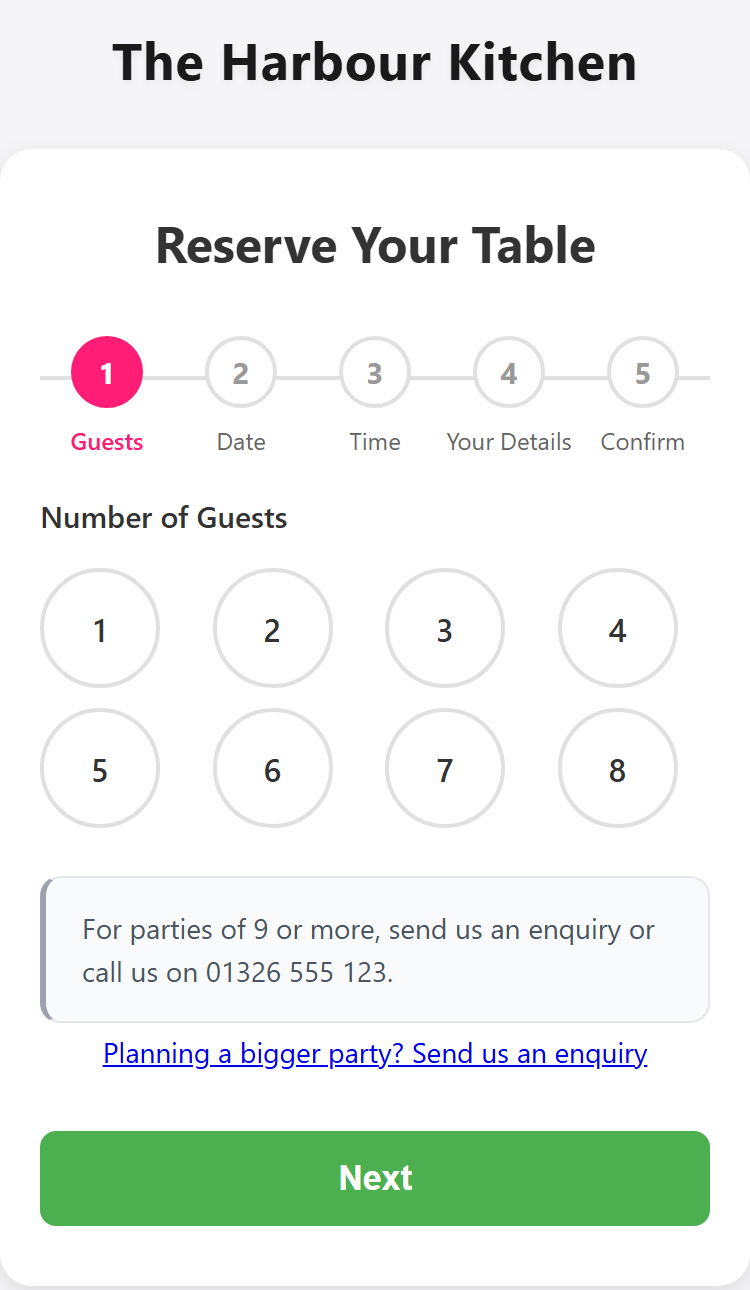
- Under the party sizes, a link: Planning a bigger party? Send us an enquiry. It sits under your Large party message, so you can keep a line such as “For parties of 9 or more, send us an enquiry or call us on [PHONE]”.
- When their party can't be booked online, for example because no table is big enough, a Send an enquiry button, with their party size already filled in.
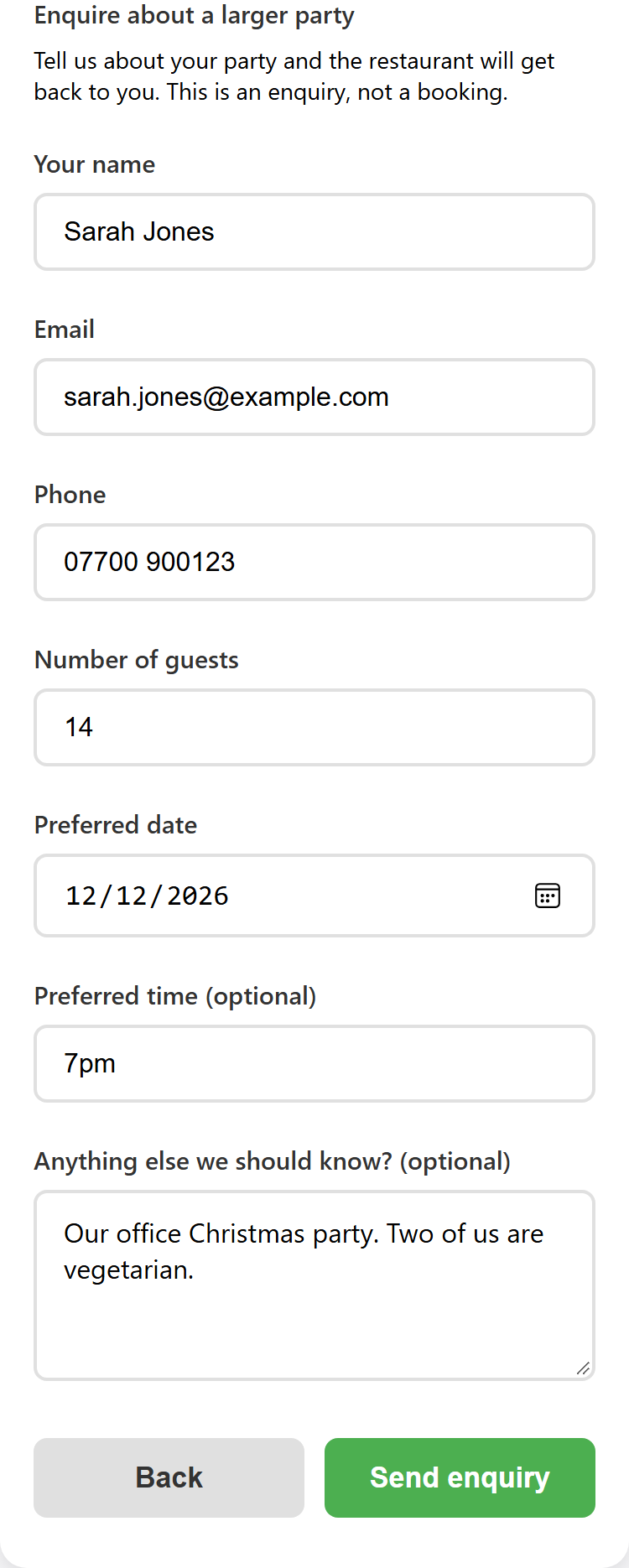
The form asks for their name, email, phone number, number of guests and preferred date, and optionally a time and a message. They press Send enquiry and are told it has been sent, that they've been emailed a copy, and that it is not a confirmed booking.
The form works wherever your booking page appears: your NomNom booking link, the booking form on your own website, and Discover.
The emails
- You get an email headed Large party enquiry. The subject shows the party size, the date and the guest's name, for example Large party enquiry: 14 guests, Sat 12 Dec 2026 - Sarah Jones. It lists everything the guest typed and a short reference. Click Reply to answer the guest directly.
- The guest gets a copy of what they sent, which says clearly that it is not a confirmed booking and that you will be in touch. If they reply to it, the reply comes to you.
When you agree the details, add the booking yourself in NomNom as usual. See Taking a booking over the phone.
Good to know
- It's off until you turn it on. Your booking page doesn't change until you do.
- Spam is filtered. Enquiries with web links in them are refused, and repeated enquiries from the same place are slowed down.
- The online party limit is unchanged. Guests can still book online up to your Maximum guests, as before. See Setting the largest party that can book online, and a large-party message.
- Not the same as large party alerts. Large Party Notifications emails you when a big party actually books. See Getting an email when a large party books.