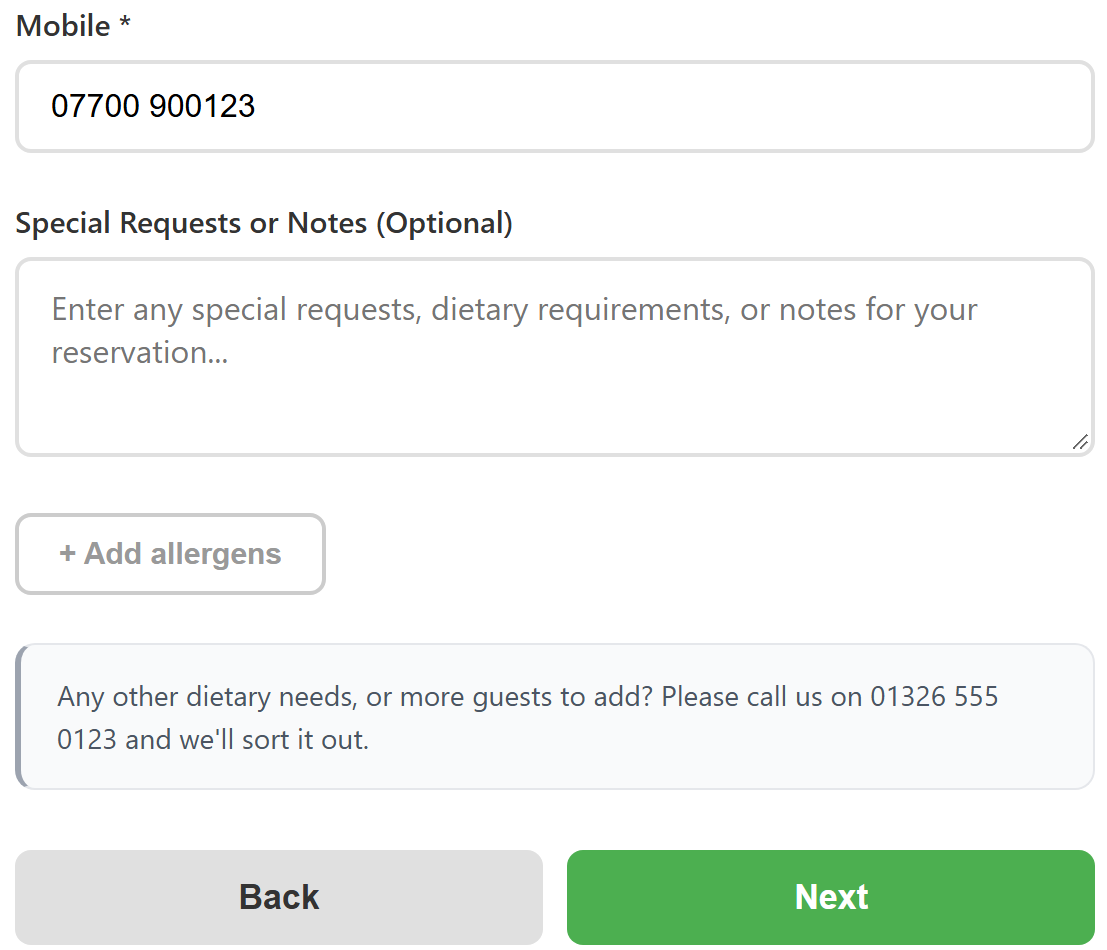
You can add your own short message to the Your Details step of your booking page. It sits under the notes box and the + Add allergens button, so it is a good place to tell guests what to do about anything the form does not cover. For example: “Any other dietary needs, or more guests to add? Please call us on [PHONE].”
It is especially useful if you switch off guest notes: the notes box goes, but your message still shows, so guests know where to send anything else.
Add your message
- Open your online booking settings. In NomNom Web, open Settings and choose Online Booking & Discover. In the phone app, go to Settings, then Online Booking & Discover. You’ll need to be an admin.
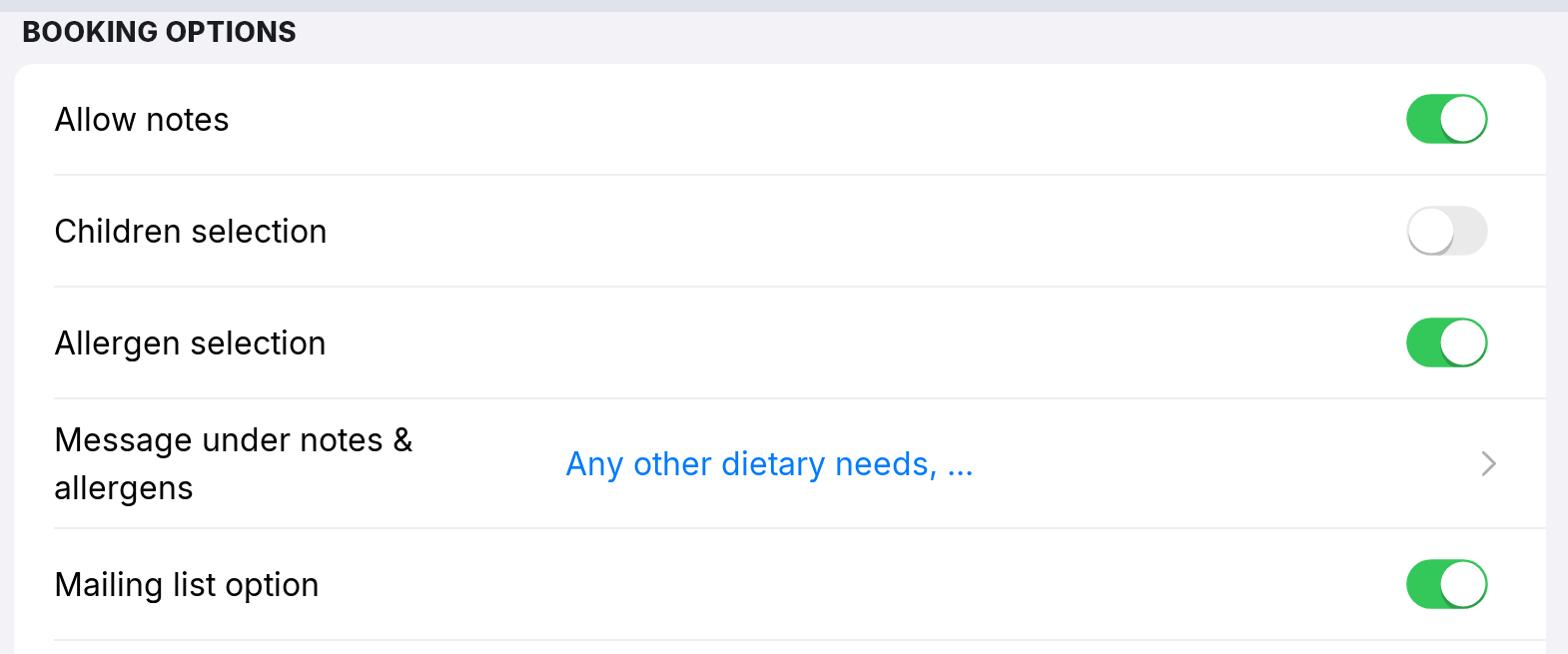
- Click Message under notes & allergens. It is under BOOKING OPTIONS, just below Allergen selection, and shows None until you write one.
- Write your message and click Save. Wherever you type [PHONE], square brackets and all, your booking page shows the phone number from Settings → Restaurant Details. Line breaks you type show on the page too.
What guests see
Every guest sees the message on the Your Details step, in a grey box under the notes box and allergens, just above Next. Use Test Online Booking, further down the same settings page, to see it as a guest would. See Testing your booking page.
Good to know
- To take it off, open it, delete the text and click Save. With nothing written, nothing shows.
- It shows whatever else you switch off. With Allow notes and Allergen selection both off, the message still appears on Your Details.
- Everywhere guests book. It shows on your booking link and on the booking form on your own website.
- No phone number set? If Restaurant Details has no phone number, [PHONE] comes out blank. See Updating your restaurant’s name, address, phone, website and photo.
- A different message for big groups goes under the party size instead. See Setting the largest party that can book online, and a large-party message.
- For the other choices on this list, see Choosing what guests are asked when they book online.