A time's MAX counts guests. It doesn't stop six tables of two all arriving at 7pm, which is what swamps a kitchen and the front of house. The BOOKINGS limit does. It sets how many bookings can start at a time online, whatever their size. A table of 10 counts as one booking, the same as a table of 2.
How it works
- It sits alongside MAX. Both limits apply, and whichever is reached first stops the time being offered online.
- It counts bookings, not guests. Every booking counts, whoever took it. Cancelled bookings don't count. A guest who is partway through booking online counts while they finish.
- It only stops online bookings. That's your booking page, the booking form on your own website and Reserve with Google. Your team is warned but never stopped (see below).
- It follows the same lists as MAX. On All rooms (default) it counts bookings across the whole venue. On an area's own list it counts only that area's bookings for that meal. What the MAX number on a booking time really counts explains the two lists.
How to set it
1. Open Times. In NomNom Web, open Configuration and choose Times. Pick the area in the ROOM row and the meal in the MEAL row.
2. Click the chip under BOOKINGS. It reads Any while a time has no limit.
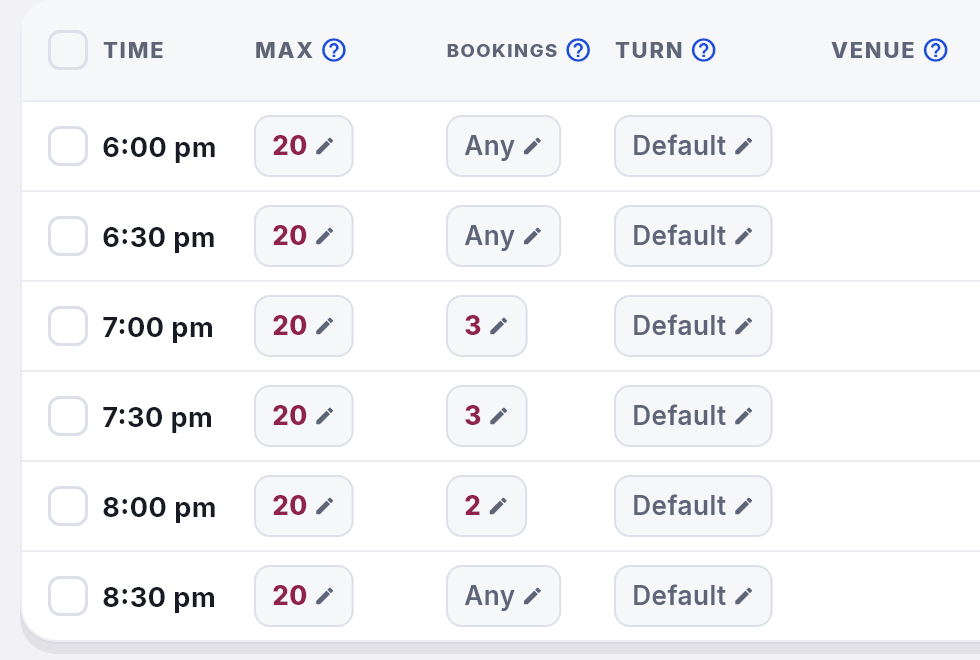
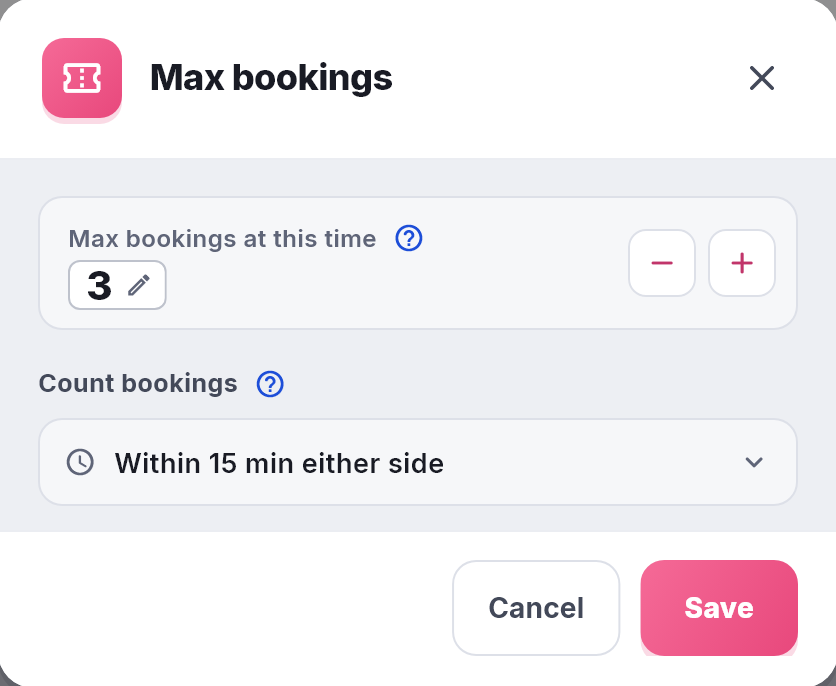
3. Set Max bookings at this time. Use − and +, or click the number and type it. 0 means no limit.
4. Choose how to Count bookings. At this exact time counts only bookings at that time. Within 15 min either side or Within 30 min either side also counts bookings at the times around it (see the next section).
5. Click Save.
To set the same limit on several times at once, tick them, click Modify and choose Set max bookings….
In NomNom Web: Configuration → Times → click the chip under BOOKINGS. In the phone app: Configuration → Times → tap a time → Max bookings.
Counting the times either side
If your times are 15 minutes apart, a limit of 3 at 7:00 still lets three more tables book 7:15. Count bookings closes that gap. With Within 15 min either side, a limit at 7:00 counts bookings at 6:45, 7:00 and 7:15.
- It's one setting for the whole venue. You change it from any time's Max bookings window, and it applies to every time that has a bookings limit.
- It only widens the bookings limit. MAX still counts guests at the exact time only.
What your team sees
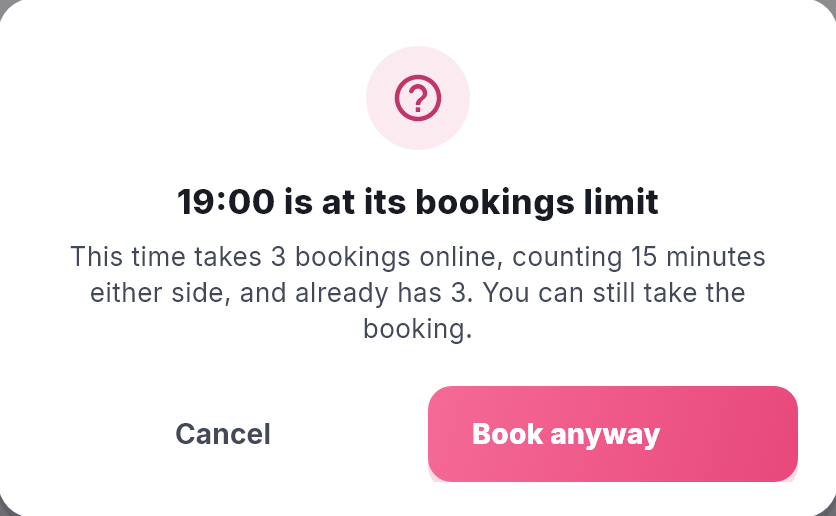
The bookings limit never stops your team. If a booking you are saving would go past it, NomNom shows a warning such as 19:00 is at its bookings limit, with the limit and how many bookings are already there. Click Book anyway to save it, or Cancel to go back to the booking. NomNom Web and the phone app both warn.
Bookings your team takes still count, so a time you book past its limit stays closed online.
Good to know
- A full time disappears for every party size. MAX only closes a time for the parties that would go over it. A full bookings limit closes it for everyone, because any new booking is one more booking.
- Guests changing their own booking online aren't counted against themselves.
- Each season has its own. If you use seasons, set the limit on each season's times.
- Other limits. To cap guests across the whole building at one time, see Capping guests at one time across your whole venue. For a cap on a whole meal for the day, see Limiting how many guests can book online. Which limits apply to your team's bookings lists the rest.