Your booking link can now carry your venue’s name, so it’s easier to read and to type. Instead of a code like book.nomnom-app.net/a1b2c3d4, it looks like book.nomnom-app.net/the-harbour-kitchen.
Where you’ll see it
- Copy booking link and Test Online Booking in Settings → Online Booking & Discover.
- The Copy link button on the Get started card in NomNom Web.
- Open purchase page in Settings → Vouchers. Your voucher page is your booking link with /vouchers on the end, for example book.nomnom-app.net/the-harbour-kitchen/vouchers.
- The gift voucher button on your booking page.
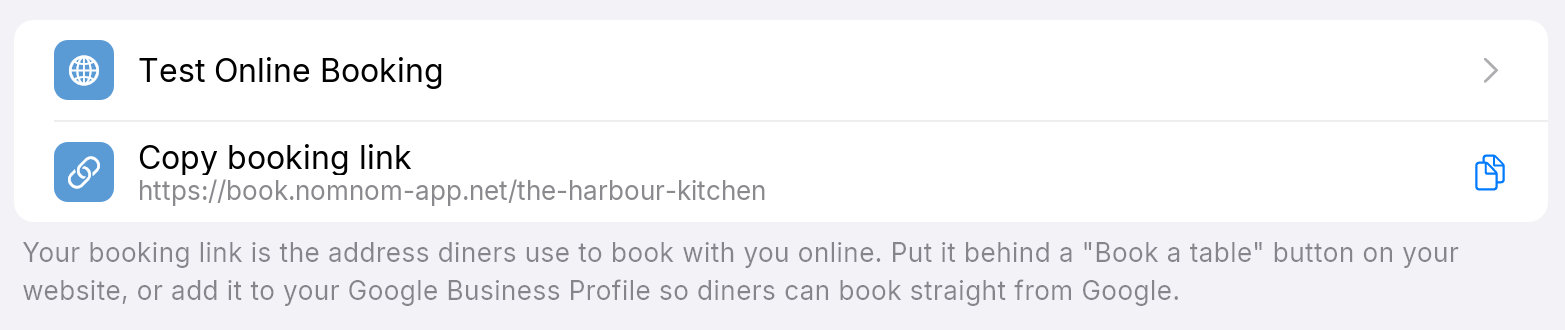
In the phone app, make sure the app is up to date. An older version still shows the code form, which works just the same.
Your old link still works
You don’t need to change anything. The link ending in a code keeps working and opens the same page. Leave it on your website, your printed QR codes and your Google profile if you like. Use the new link wherever you share it from now on.
How the name is chosen
- It’s made automatically from your venue’s name: lower case, with hyphens between the words.
- If another venue already has the same name, a number is added, such as the-harbour-kitchen-2.
- It never changes. Renaming your venue doesn’t change the link, so nothing you have printed stops working.
- You can’t change it yourself. If it’s wrong, get in touch with us.
- If your venue doesn’t have one yet, your link still ends in a code. That link works just as well.
Good to know
- Reserve with Google and the booking form on your own website carry on as before. You don’t need to change them.
- Turning your link into a QR code: see Your booking link: sharing it and making a QR code. For your voucher page, see Sharing your gift voucher page.