Sometimes a table is not there for one night: you have carried it upstairs to make a bigger table for a party, it has a wobbly leg, or you need the space. Closing the table takes it out of use for that date, without a placeholder booking and without touching your table settings for any other day.
What closing a table does
- Nobody can book it online. Your booking page, your website widget and Reserve with Google stop offering it.
- Every group that includes it is closed too. Closing table 9 also closes 8,9,10 and 9,10, because a group is only as available as each table in it.
- Your staff do not see it as free. It drops out of the table picker in the app and in NomNom Web, and the table optimiser will not move anyone onto it.
- Staff can still use it if they need to. If somebody puts a booking on a closed table, they are asked to confirm first, the same way as a double booking.
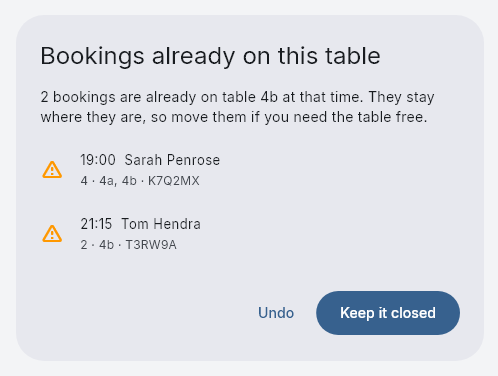
- Bookings already on the table stay where they are. When you close it, you are told about any bookings already on it at that time, so you can move them.
How to close a table
On the chart (NomNom Web): right-click the table's name on the left of the chart and choose Close table.... The date is the day you are looking at.
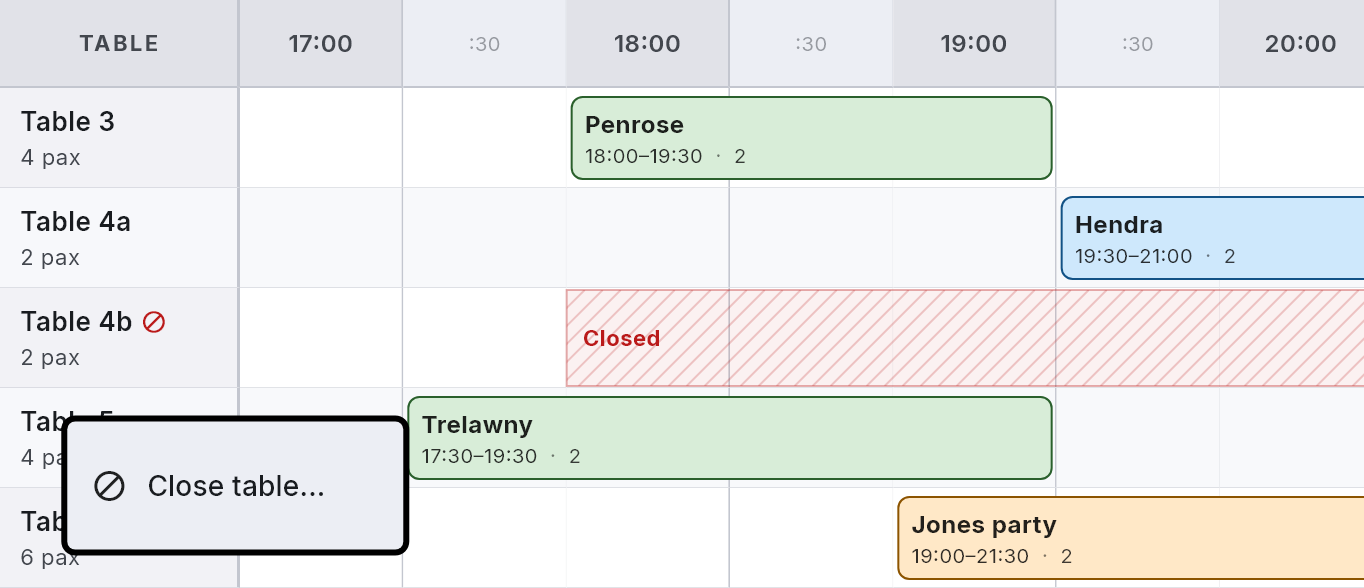
In the table settings (app and NomNom Web): open the table and tap Close for a date....
Then choose:
- All day, or Between times with a From and a To time (for example 18:00 to 23:00 to close it for the evening only);
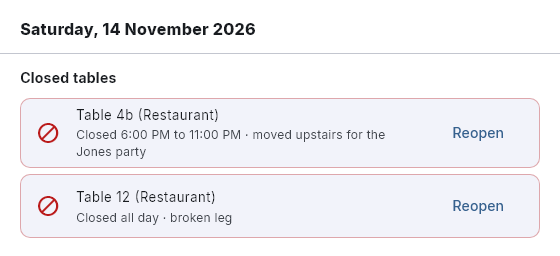
- a reason if you like (for example "moved upstairs"), which your team sees on the chart and on Schedule Changes.
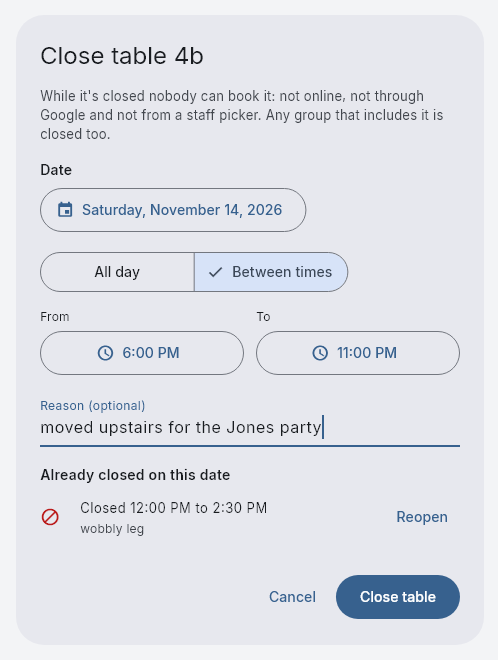
Press Close table. If bookings are already on the table at that time, you will see them listed. Choose Keep it closed and move them yourself, or Undo.
Seeing and reopening closed tables
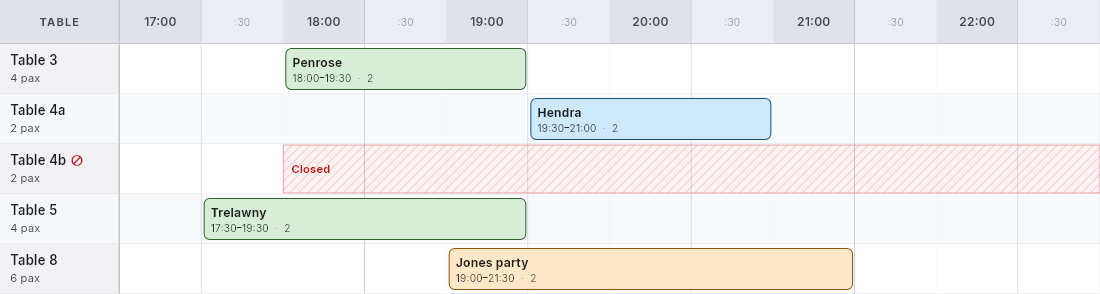
- On the chart, a closed table shows a hatched Closed band over the hours it is closed.
- On Schedule Changes, pick the date to see every table closed that day. Press Reopen to open one again.
- Opening Close table... again for the same date also lists its closures, each with Reopen.
Good to know
- Closing tables is for managers (admin users), like other schedule changes.
- A closure is for one date. To close a table on certain days every week, use Available days in the table's settings instead.
- Renaming the table keeps it closed. Deleting the table removes its closures.
- Google picks up a closure straight away when a guest checks a time. The availability Google shows in its listings catches up at the next nightly update.