The online booking cut-off lets you stop taking online bookings for a meal once it is too close to service to accept any more. It is a same-day deadline: after the cut-off time passes, that meal can no longer be booked online for today, while future dates carry on exactly as normal.
How the cut-off works
- Same day only. The cut-off only ever affects bookings for the current date. Bookings for tomorrow and beyond are never blocked.
- Per meal. Each meal or sitting has its own cut-off, so you can close lunch at 11:30 am and dinner at 6:00 pm independently.
- Online only. It applies to your public online booking page. You and your team can still take same-day bookings in the app after the cut-off — for example, a phone booking taken at the desk.
- Your local time. The cut-off is measured in the restaurant’s local time.
Setting a cut-off time
- Open Configuration and go to the Meals tab.
- Tap the meal you want to change.
- Make sure the meal is available for online booking — the cut-off row is greyed out until Online is switched on.
- Tap Online booking cut-off and choose a time on the clock face. The time snaps to the nearest 15 minutes.
- Save the meal.
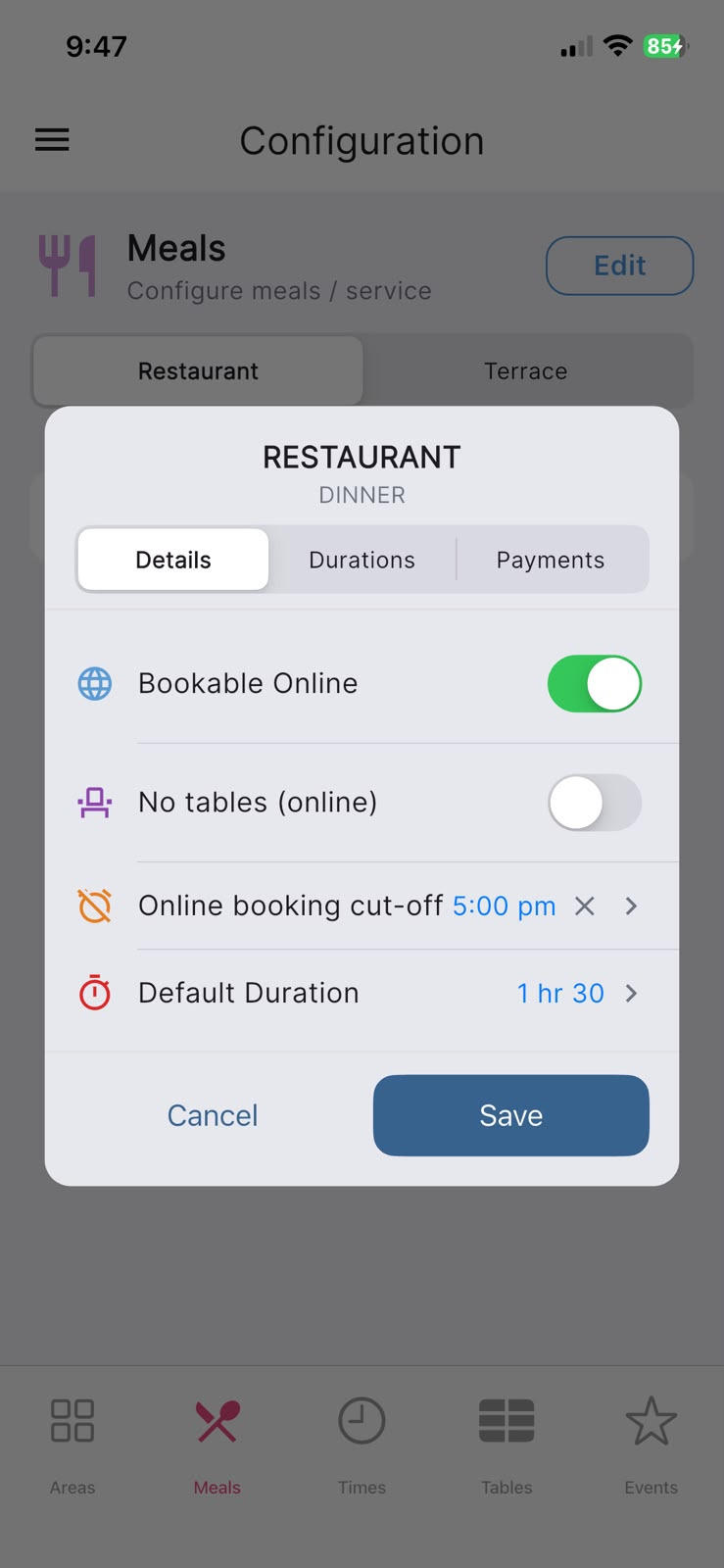
The row then shows your chosen cut-off time. To switch the cut-off off again, tap the × next to the time — the row will read No cut-off and the meal stays bookable online right up to service.
What your customers see
Once the cut-off has passed, the meal does not disappear from your booking page — it stays visible but greyed out. If a customer taps it, they see a clear message in place of the list of times:
Online bookings are now closed for today’s [meal], please call the restaurant directly.
This keeps late same-day enquiries flowing to the phone rather than turning guests away with an empty screen.
Good to know
- The cut-off works for both your recurring meals and one-off event sittings.
- Leaving the row at No cut-off means online bookings stay open all day, limited only by your normal availability.
- Staff bookings taken in the app are never affected by the cut-off — only your public online booking page is.