Great reviews win new tables. But asking for them face-to-face is awkward, and chasing them after a busy service never quite happens. So we built something that does it for you — automatically, and tastefully.
Meet the post-visit follow-up email: a warm little "how was your visit?" that lands in your guest's inbox after they've been in, turns your happiest diners into public reviews, and quietly routes anything less than perfect straight to you.
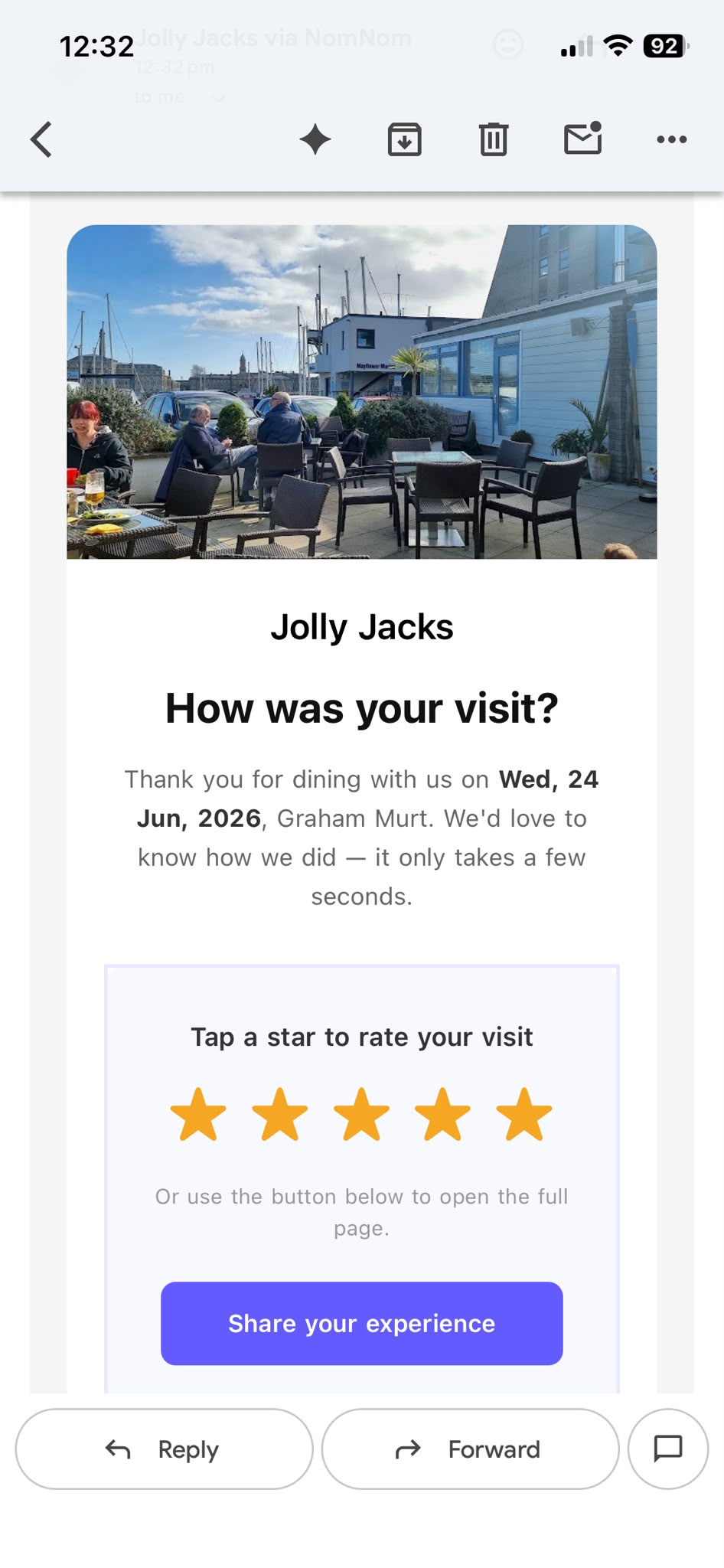
Five stars, one tap
A little while after a visit — you choose how long, from an hour afterwards to a week later — your guest gets the email. Right inside it are five stars they can tap there and then. What happens next depends on how the evening went:
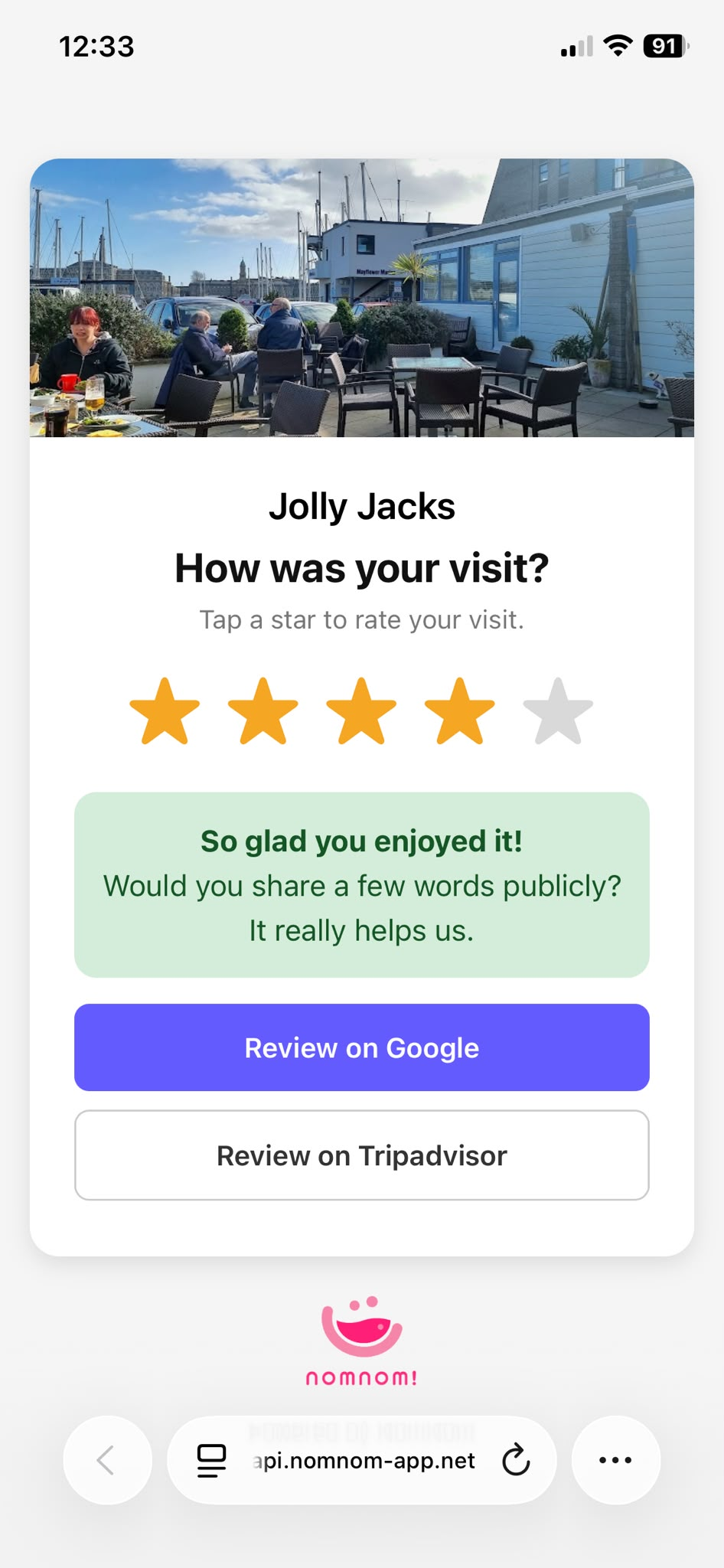
- They loved it. Guests who rate you highly are sent straight to Google or Tripadvisor to post a public review — exactly where your next customers are looking.
- Something was off. Anyone less than delighted is invited to tell you privately what could have been better — so a quiet word reaches you before it reaches the internet.
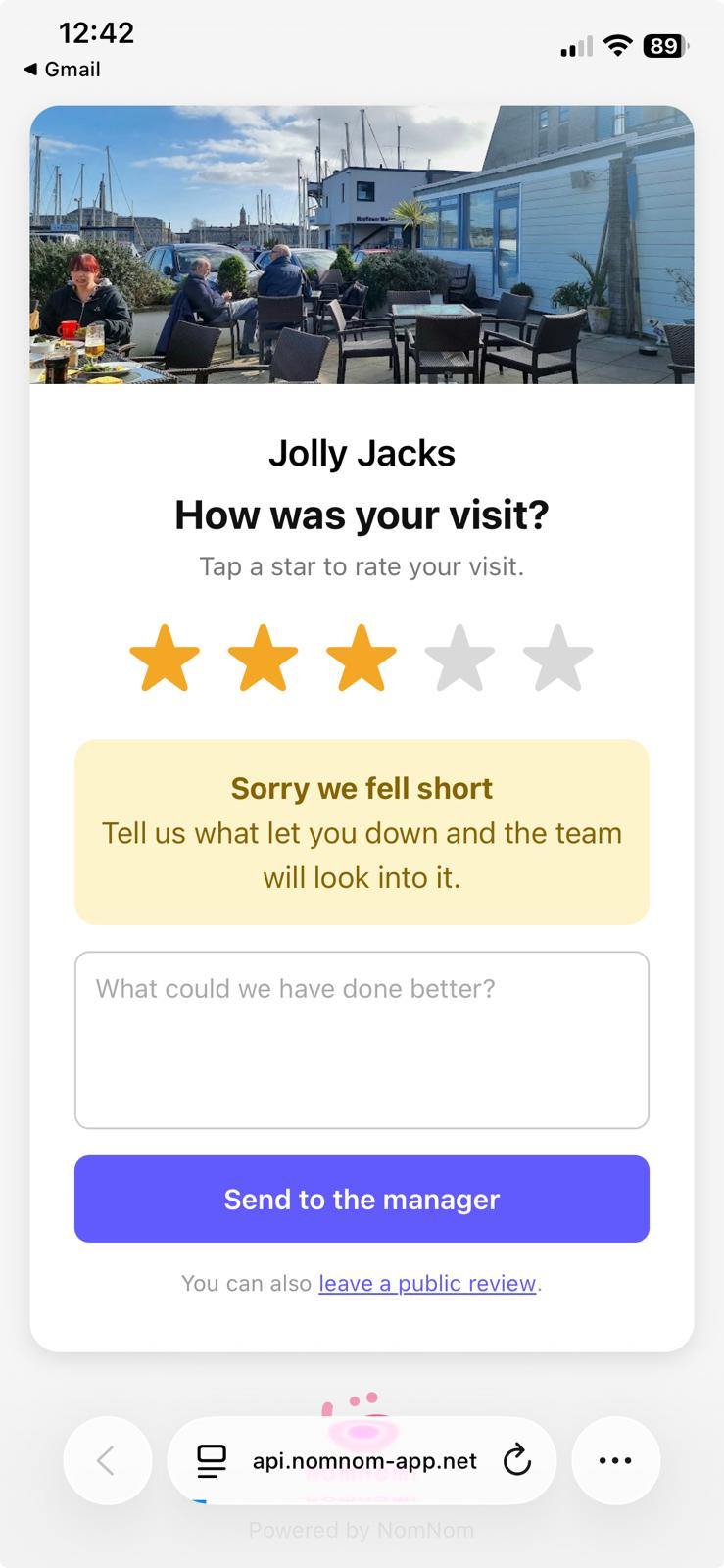
And it's fair: the public review option is never hidden from anyone, so every review you gather is genuine — and you stay firmly on the right side of the rules.
Thoughtful by default
It only ever goes to guests who actually turned up — never to cancellations or no-shows — and only once per booking. Add your own welcome and sign-off so it sounds like you, preview it before it goes anywhere, and send it by hand from any past booking whenever the moment's right.
On in under a minute
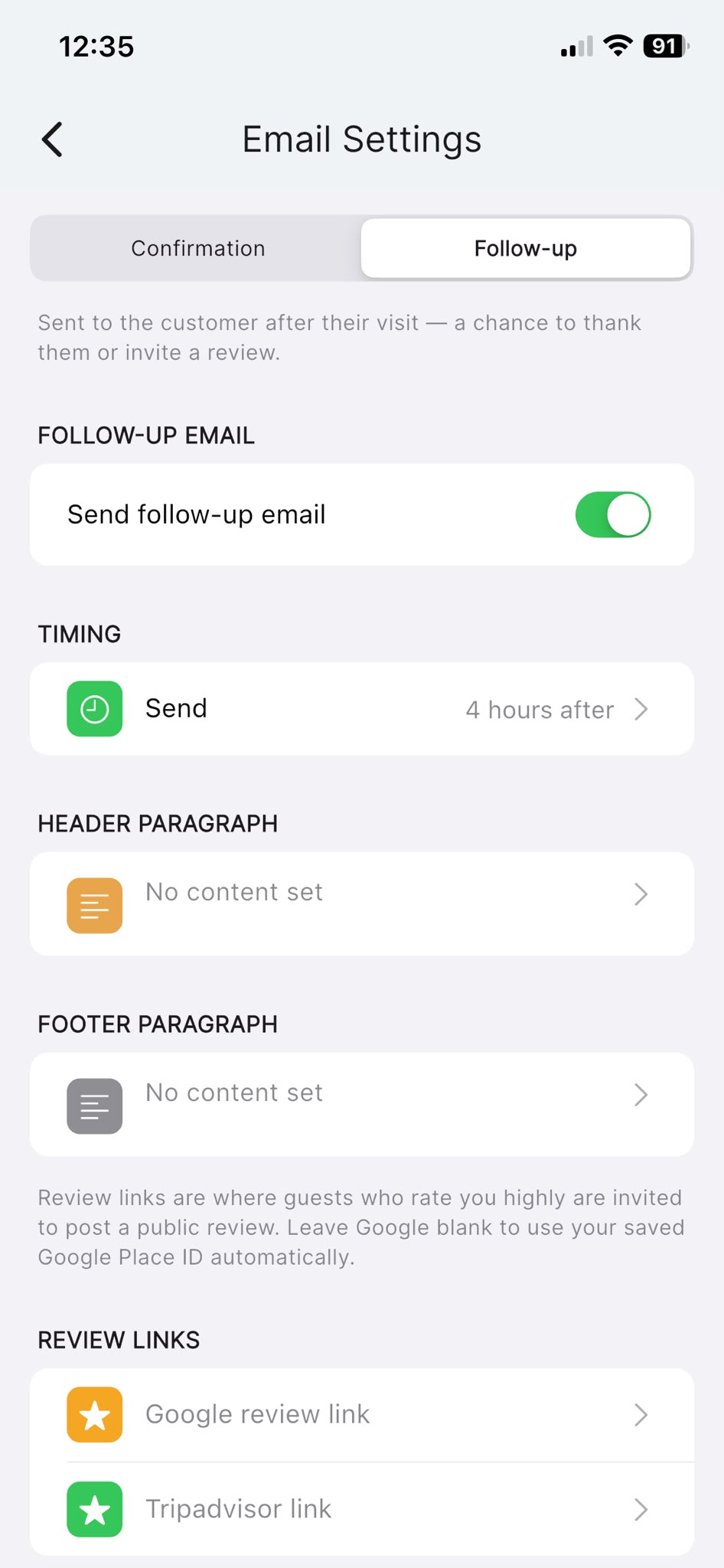
Open the app, head to Settings → Email Settings → Follow-up, switch on Send follow-up email, pick when it should send, and drop in your Google review link (or let NomNom use the one from your setup). Done.
More reviews, more regulars, and the problems you actually want to hear about — first. That's a follow-up worth sending.