Some guests always ask for the window seat, or table 7, or the quiet corner. When you've promised a table, you can mark the booking in NomNom Web so it can't be moved by accident — not by a colleague reshuffling the plan, and not by the table optimiser.
Mark the booking
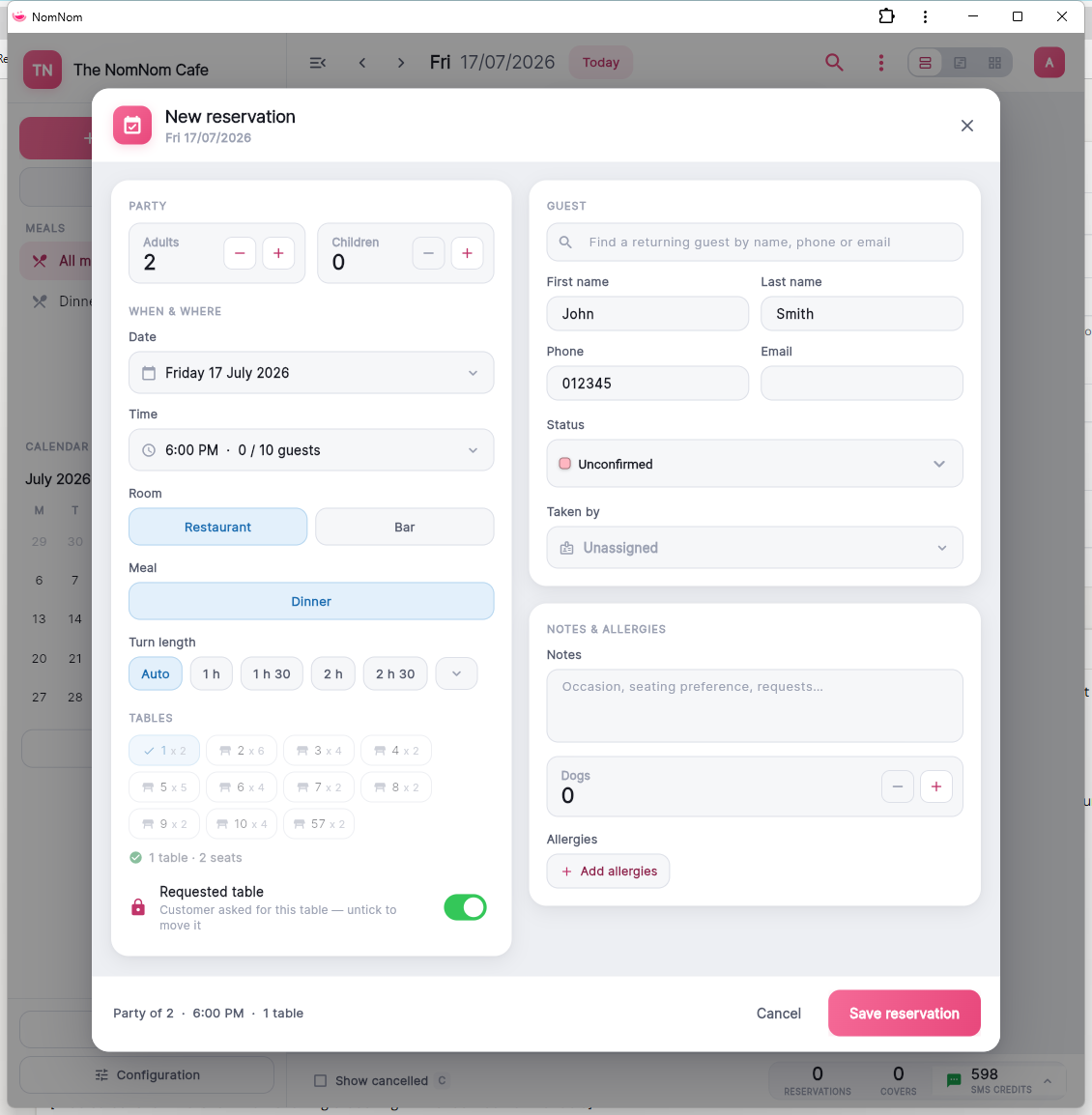
Open the booking and turn on the Requested table switch. The booking needs a table assigned first — the switch pins the booking to whatever tables it currently holds, and its message reads "Customer requested this table".
In NomNom Web: open the booking → the Requested table switch in the editor.
On the mobile app: open the booking and turn on Customer requested this table.
What changes
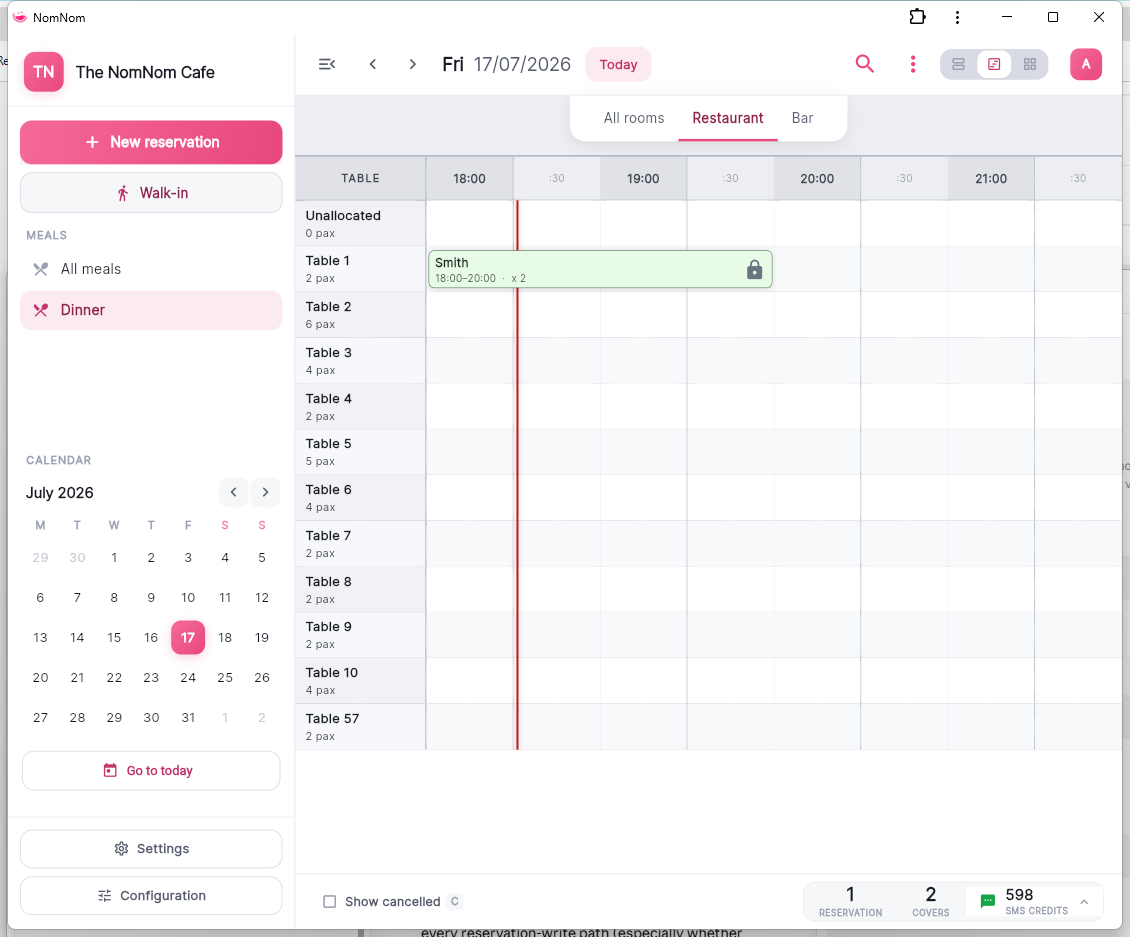
- The booking shows a lock icon in the List and Chart views, so everyone can see it's pinned.
- Trying to drag or move the booking to another table is blocked, with a message explaining the guest requested this table.
- The table optimiser — the Optimise tables button in the top bar — leaves the booking exactly where it is when it rearranges the day.
Moving it anyway
If plans genuinely change, open the booking, turn the Requested table switch off, and move it as normal. The lock is there to stop accidents, not to get in your way.