[DRAFT — DO NOT PUBLISH until the manual payments release is deployed]
Not every payment goes through your booking page. A guest books a party over the phone and taps their card on your machine; someone leaves cash towards a big table. In NomNom Web you can record these payments against the booking, so what's been paid is visible to the whole team.
Record a payment
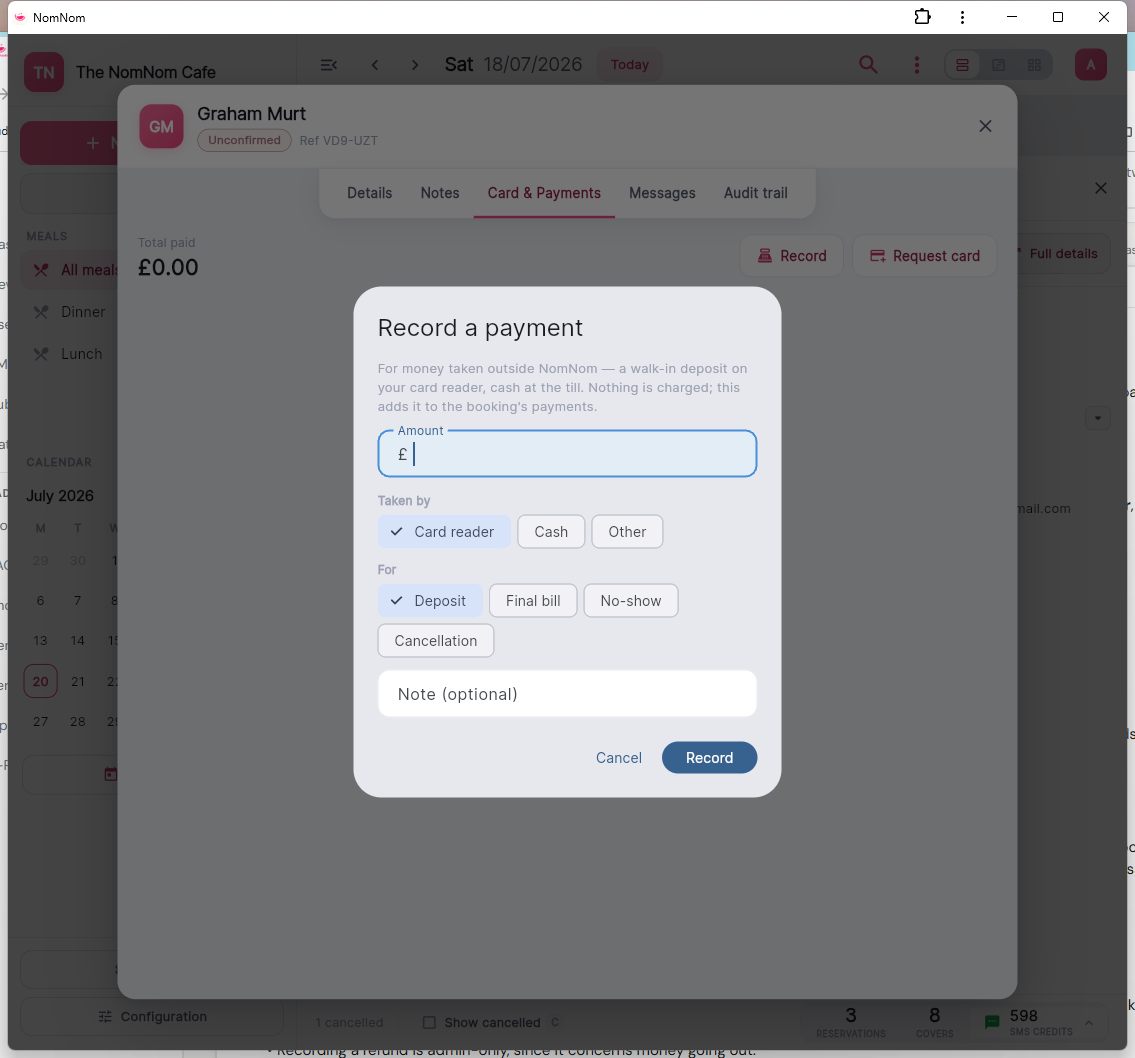
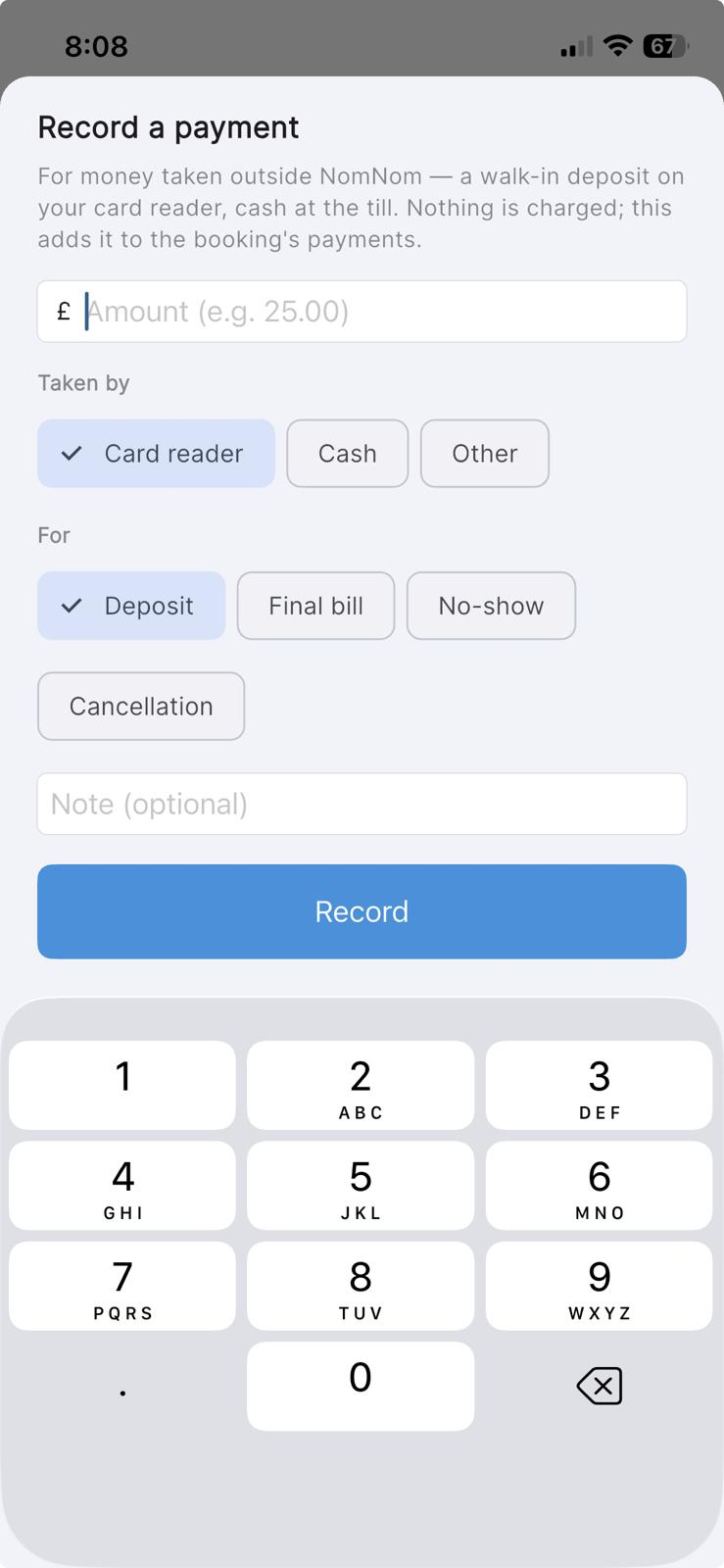
Open the booking in NomNom Web and go to its payments. Record the payment with the amount, how it was paid — card reader, cash or other — and an optional note. The booking's paid total updates immediately.
In NomNom Web: open the booking → its payments → record the payment.
On the mobile app: open the booking and record it in the booking’s payments.
Where it shows
The payment appears in the booking's payment history alongside any card payments taken through NomNom, and counts towards the booking's total paid — so whoever opens the booking can see the deposit has been taken care of.
Refunds
If you hand money back — on the card machine or from the till — an admin can record the refund against the payment from the booking, so the books stay straight. NomNom never moves the money itself for these payments; the record simply keeps everyone on the same page about what changed hands.
Good to know
- No receipt email is sent for payments recorded this way — your card machine or till provides its own receipt.
- Deposits paid through your booking page are refunded through NomNom as before; recording by hand is only for money taken outside NomNom.
- Recording a refund is admin-only, since it concerns money going out.