Plenty of venues only need deposits at the weekend. Rather than asking every guest all week, you can choose exactly which days a meal's card or deposit requirement applies — and you'll find it all in NomNom Web.
Where to find it
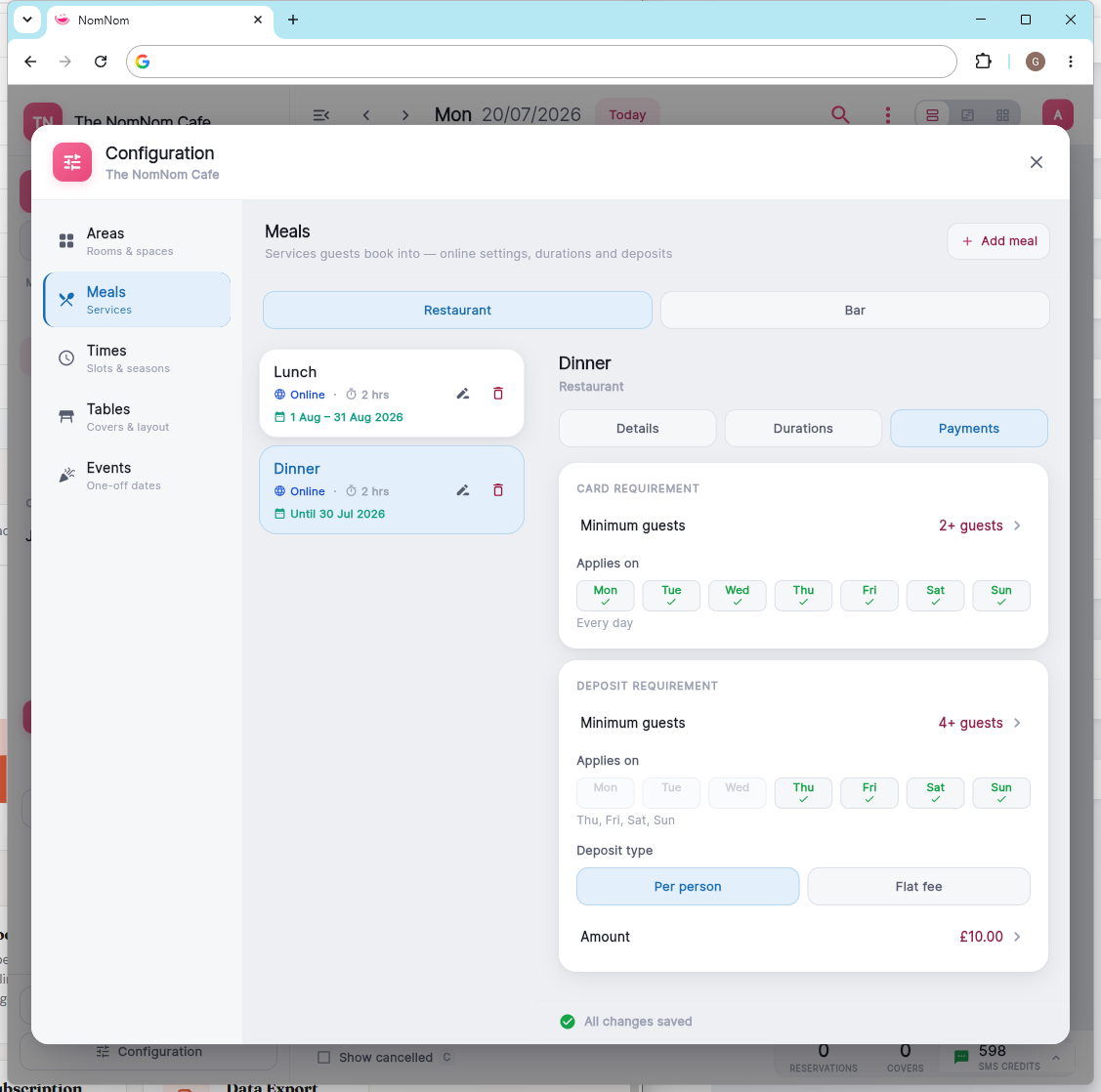
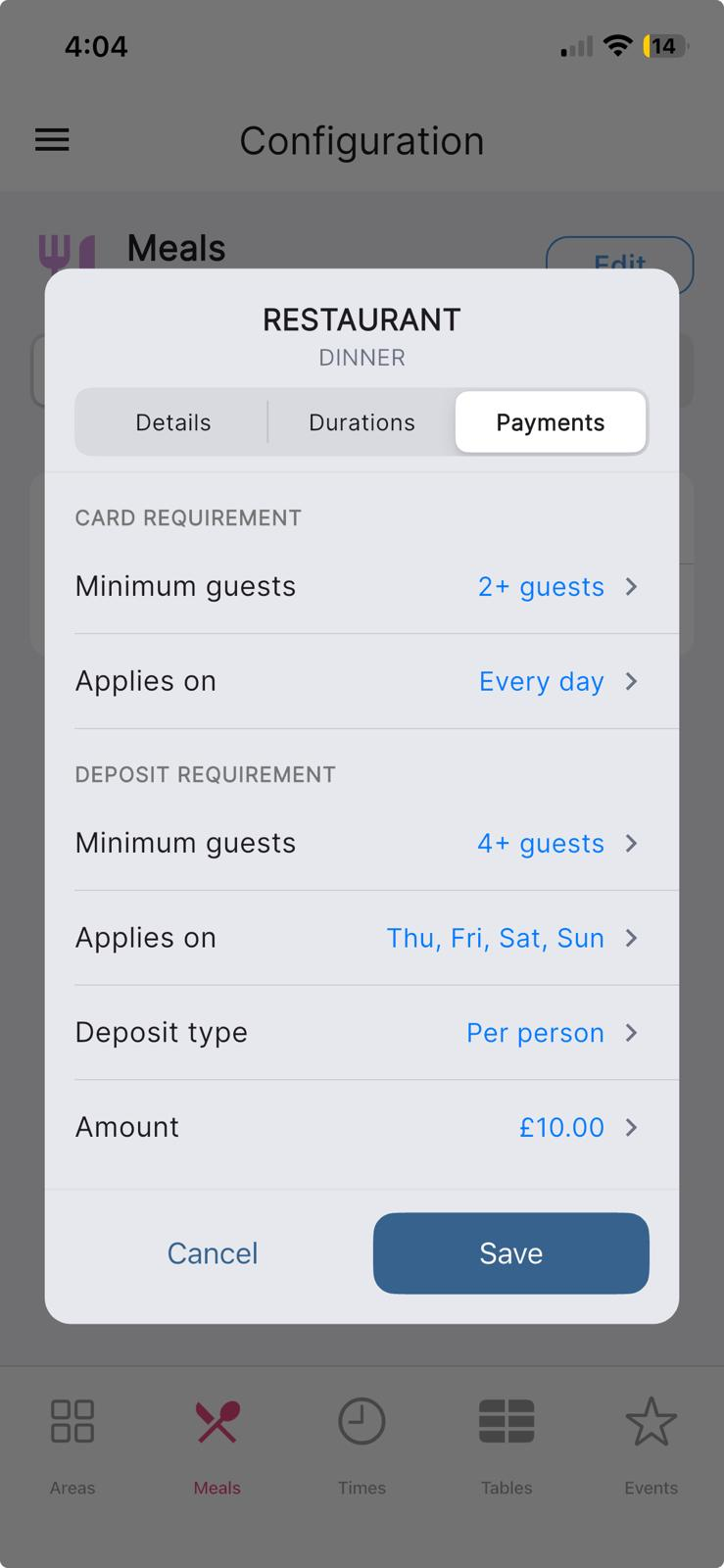
Open the meal you want to change and go to its payments section. Both requirements — taking a card to hold the booking, and taking a deposit — have their own Applies on row where you pick the days of the week.
In NomNom Web: open the account menu (top-right) → Configuration → Meals → open a meal → its payments section.
On the mobile app: open Configuration → Meals, tap a meal, and use its Payments section.
How it works
When a guest books on your booking page on one of the selected days, the payment step appears as usual. On any other day, the same meal books without a payment step. With every day selected (the default), nothing changes from how deposits have always worked.
Because cards and deposits are configured separately, you can mix them — for example, a card to hold the booking midweek, but a real deposit on Friday and Saturday.
Good to know
- The day check applies to online bookings on your booking page.
- Changing the days doesn't affect bookings that have already been made — only new bookings follow the new rule.
- Events run on a single date, so this setting lives on your regular meals. For a one-off occasion, set its payment rules in the event itself (account menu → Configuration → Events).